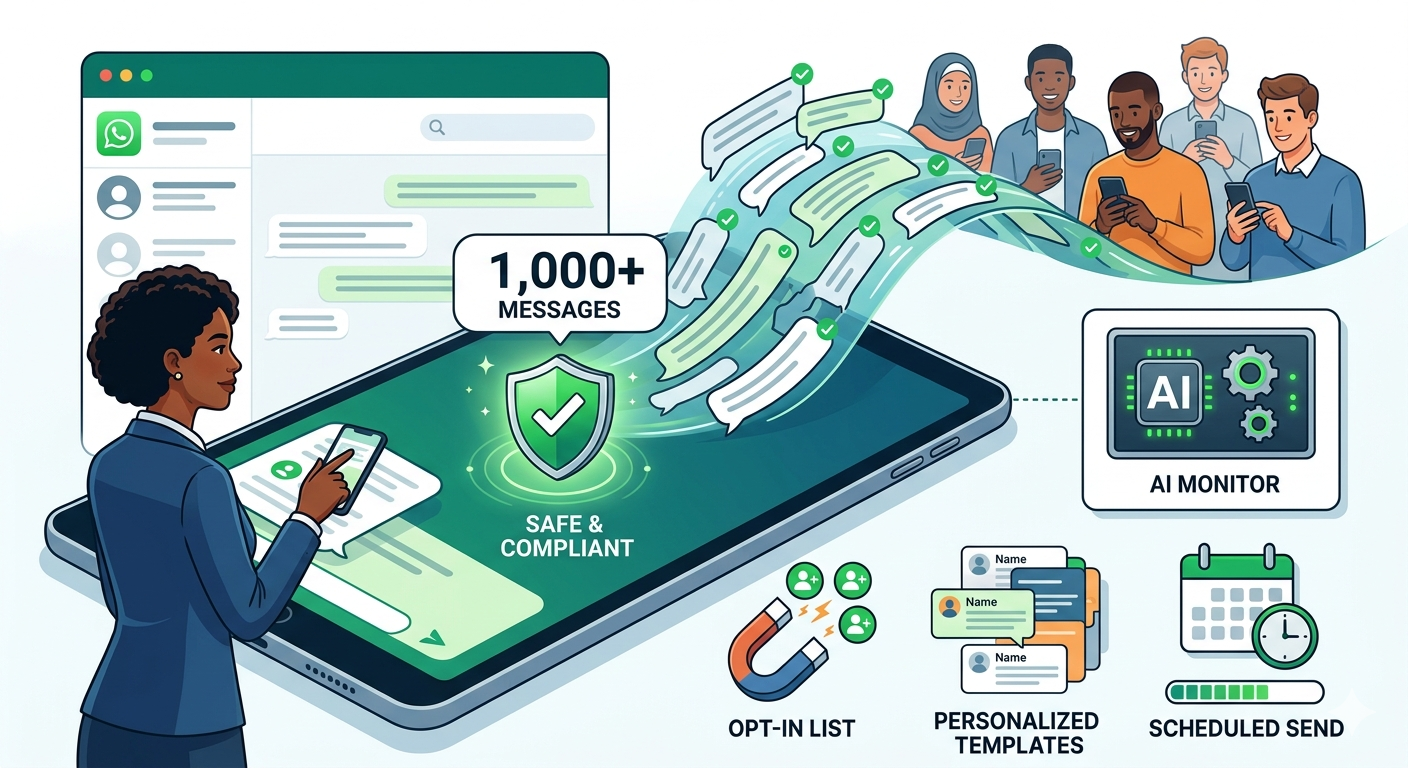
If you have ever tried to avoid a bulk WhatsApp message ban to a large contact list, you already know the anxiety that comes with it. Will the messages deliver? Will WhatsApp flag the account? Is there a safer way to do this without waking up to a banned number and a broken customer communication channel?
The good news is that sending 1,000 or more WhatsApp messages without getting banned is entirely possible in 2026. The bad news is that the method matters enormously. The difference between a successful campaign and a permanently restricted account is not the number of messages sent. It is whether you followed WhatsApp’s rules or tried to work around them.
This guide gives you the full picture. You will learn exactly why WhatsApp bans bulk senders, how to compare the three available methods honestly, and how to set up the only approach that lets Nigerian businesses send at scale without putting their account at risk. Whether you are a marketer planning a product launch campaign, a property manager sending rent reminders, or a business owner reaching out to an existing customer base, the principles here apply directly to what you are trying to do.
Why WhatsApp Bans Bulk Senders And How It Detects Them
WhatsApp is not against businesses sending large volumes of messages. It is against businesses sending messages that behave like spam. The distinction matters because understanding it is what separates a successful bulk messaging strategy from a banned account.
How WhatsApp’s AI Monitors Account Behavior
WhatsApp runs automated quality checks on business accounts every six hours. During each evaluation, the system analyses behavioural signals to determine whether an account is operating within acceptable boundaries. Accounts that pass consistently maintain or improve their messaging tier. Accounts that trigger warning signals get downgraded, restricted, or banned depending on the severity and frequency of the violations.
The AI is looking for patterns, not just volume. Sending 1,000 messages slowly to an engaged, opted-in list looks very different to WhatsApp’s system than sending 1,000 messages rapidly to a cold list of numbers scraped from the internet.
The Specific Triggers That Get Accounts Banned
Sending too fast is the first trigger. Blasting a large number of messages in a short window mimics bot behavior and raises an immediate flag regardless of message content or list quality.
Messaging cold contacts is the second trigger. When recipients have not saved your number and did not ask to hear from you, they are far more likely to tap “Report Spam.” A high spam report rate is one of the fastest ways to move an account from green to red quality status.
Sending identical messages at scale is the third trigger. WhatsApp’s AI identifies mass-identical messages as automated spam behavior. Unvaried content sent to hundreds of contacts in sequence is a reliable path to restriction, even when using legitimate tools.
The Permanent Ban Risk Of Unofficial Tools
Unofficial bulk sender tools, including Chrome extensions, APK mods, and third-party desktop applications, attempt to automate WhatsApp in ways the platform explicitly prohibits. Beyond account bans, some of these tools trigger device-level restrictions tied to the MAC address of the hardware used. A MAC-address ban means the restriction follows the device, not just the number. Any business that depends on WhatsApp as a core communication channel has no business experimenting with these tools.
The core principle to carry into everything that follows is simple: 1,000 messages sent to cold leads is spam. 1,000 messages sent to opted-in customers is a campaign.
The Three Methods For Sending Bulk WhatsApp Messages
There are three ways Nigerian businesses attempt to send bulk WhatsApp messages in 2026. Each carries a different risk profile, cost structure, and realistic ceiling. Here is an honest breakdown of all three.
Method 1: WhatsApp Broadcast Lists (Free, Limited)
The broadcast list feature is built into the standard WhatsApp Business App and costs nothing to use. You create a list of up to 256 contacts and send a message to all of them simultaneously. Each recipient receives the message as an individual chat rather than a group message, which preserves the personal feel of the interaction.
The limitations are significant. The 256-contact ceiling means reaching 1,000 people requires creating and managing at least four separate lists manually. More critically, broadcast messages only deliver to contacts who have saved your number in their phone. Anyone who has not saved your number simply never receives the message, with no notification to you that the delivery failed. For most Nigerian businesses trying to reach a broad customer base, this limitation alone makes broadcast lists an incomplete solution beyond a very small scale.
Best for: Small local businesses, community organizations, or individual agents with tight, well-maintained contact lists under 500 people.
Method 2: Unofficial Bulk Sender Tools (High Risk)
This category includes Chrome extensions, WhatsApp web automation tools, APK-modified versions of WhatsApp, and third-party desktop applications that promise unlimited messaging without the restrictions of the official platform. They are cheap, sometimes free, and require minimal setup. They are also the fastest way to permanently lose a WhatsApp number your business depends on.
WhatsApp’s AI detects the behavioral patterns these tools produce almost immediately. Accounts using them typically experience temporary restrictions first, followed by permanent bans if the behavior continues. The more serious risk is the device-level ban. Some unofficial tools trigger a MAC-address restriction that ties the ban to the physical hardware rather than the phone number alone, meaning switching numbers does not resolve the problem.
For any Nigerian business that uses WhatsApp as a genuine revenue channel, the risk-to-reward ratio of unofficial tools makes them impossible to recommend. The cost of a permanent ban on an active business number far exceeds whatever short-term savings the tool offered.
Best for: Nobody running a serious business operation.
Method 3: WhatsApp Business API (The Gold Standard)
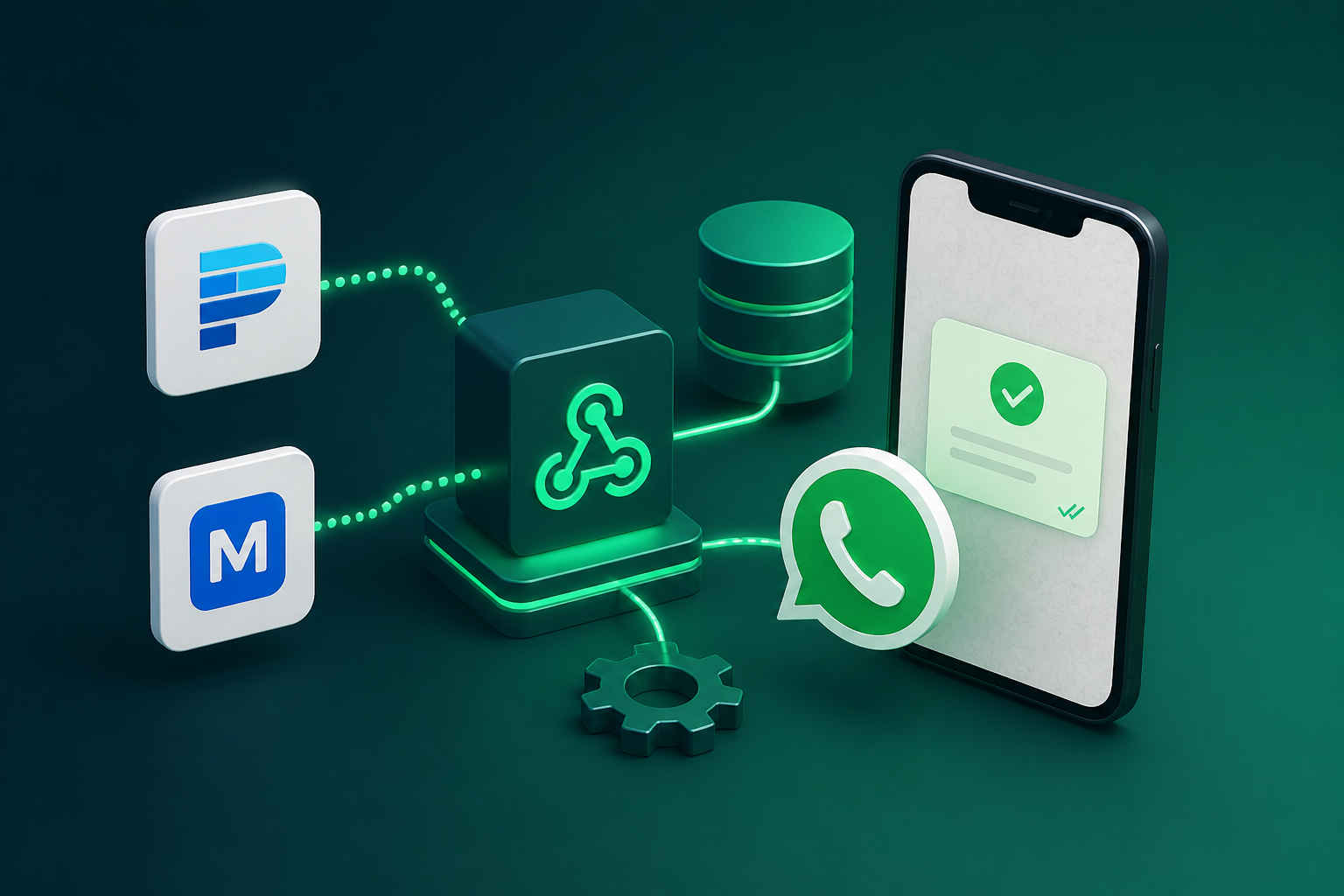
The WhatsApp Business API is Meta’s official solution for businesses that need to communicate at scale. It removes the 256-contact ceiling, supports full automation, enables multi-agent team inboxes, and keeps accounts protected within Meta’s official framework. New accounts start at a messaging tier of 1,000 unique users per 24-hour window and scale upward as account quality remains high.
Access to the API requires working through an official Meta Business Solution Provider. For Nigerian businesses, Siteti provides API access with Naira-based billing, local payment methods, and onboarding support tailored to the Nigerian market.
Best for: Any business sending more than 500 messages per month, running recurring campaigns, or managing customer communication across a team.
Comparison Table
| Method | Message Limit | Risk Level | Cost | Best For |
| Broadcast Lists | 256 per list | Low | Free | Small local businesses |
| Unofficial Tools | Unlimited (claimed) | Very High | Cheap or free | Not recommended |
| WhatsApp Business API | 1,000 to unlimited | Very Low | Paid per conversation | Serious businesses |
The Anti-Ban Checklist: How To Send At Scale Without Getting Restricted
Getting access to the WhatsApp Business API is the first step. Using it responsibly is what keeps your account in good standing over the long term. Even on the official platform, businesses that ignore these principles will find their quality scores dropping and their messaging tiers shrinking.
Opt-In Is Non-Negotiable
The single most important factor in keeping a bulk messaging account healthy is the quality of the list being messaged. Contacts who explicitly asked to hear from your business will engage with your messages. Contacts who did not will ignore them, delete them, or report them as spam. Enough spam reports, and your account quality drops regardless of how legitimate your API setup is.
Building a genuine opt-in list takes more effort than importing a purchased contact database, but it is the only foundation that supports sustainable bulk messaging. Effective opt-in collection methods include WhatsApp chat buttons on your website, click-to-WhatsApp ads on Instagram and Facebook, in-store sign-up prompts, and subscription forms that explicitly mention WhatsApp communication. Every contact on your list should be there because they chose to be.
Personalization Reduces Spam Flags
WhatsApp’s AI flags identical mass messages as bot behavior. A campaign that sends the exact same text to 1,000 contacts in sequence looks indistinguishable from automated spam to the detection system, even when sent through the official API.
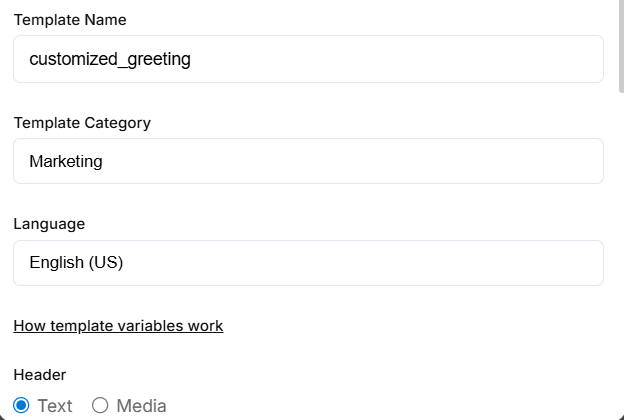
Template variables solve this problem. Using personalization fields such as the recipient’s first name, their last order reference, the specific property they enquired about, or their account number makes each message technically unique. Beyond the technical benefit, personalized messages generate meaningfully higher response rates than generic blasts, which improves your account quality score further by demonstrating genuine two-way engagement.
Manage Your Sending Speed
Sending 1,000 messages in ten minutes triggers the same behavioral flags as unauthorized bulk tools, even on a legitimate API account. Pacing your campaign sends over a longer window keeps velocity within thresholds that read as normal business communication rather than automated blasting.
Most API providers, including Siteti, allow you to schedule broadcasts and control send timing from within the campaign dashboard. Using these controls to spread a large send across several hours rather than a few minutes is a simple habit that meaningfully reduces restriction risk on high-volume campaigns.
Always Include An Opt-Out Path
Every bulk Whatsapp message should give recipients a clear, simple way to stop receiving future messages. A line at the end of the message, such as “Reply STOP to unsubscribe,” is sufficient. This serves two purposes. It keeps your messaging compliant with WhatsApp’s policies and with broader data protection principles. And it channels dissatisfied recipients toward an opt-out rather than a spam report, which protects your account quality score.
Businesses that honor opt-out requests promptly and remove those contacts from future sends maintain cleaner lists, lower spam report rates, and more engaged audiences over time.
Monitor Your Account Quality Score Regularly
Meta provides a real-time account quality rating inside WhatsApp Manager, visible to any business on the API. The rating uses a green, yellow, and red indicator system. Green means your account is in good standing. Yellow is a warning that quality is declining and action is needed. Red means your account is at risk of restriction or tier demotion.
Checking this rating before and after every large campaign gives you an early warning of quality issues before they escalate into restrictions. A score moving toward yellow after a campaign is a signal to review your list quality, reduce send velocity, or adjust message content before the next send. Catching problems at the yellow stage is significantly easier than recovering from a red rating or a full account restriction.
Step-by-Step: How To Send 1,000 WhatsApp Messages Safely Using The API
Having the right knowledge is one thing. Executing a compliant, high-performing bulk WhatsApp campaign from start to finish is another. This step-by-step walkthrough covers the full process for Nigerian businesses setting up and running their first 1,000-message campaign safely
Step 1: Choose The Right WhatsApp Business API Provider
Everything starts here. Your API provider determines how you access the platform, how you pay for it, and how much support you receive when things need attention. For Nigerian businesses, the practical considerations go beyond features and pricing.
Dollar-billed global providers introduce exchange rate uncertainty, international card limits, and payment failure risks that can disrupt active campaigns at the worst possible moments. A provider that bills in Naira, accepts local payment methods, and offers onboarding support that understands the Nigerian market removes all of that friction before it becomes a problem.
Siteti is built specifically for this environment. Naira pricing, Paystack and Flutterwave payment support, and a team that works with Nigerian businesses daily mean the setup process is straightforward and the ongoing relationship is manageable without requiring technical expertise or foreign currency workarounds.
Step 2: Complete Meta Business Manager Verification
Before any messages go out, your Meta Business Manager account needs to be verified. Verification confirms to Meta that your business is a legitimate operating entity and unlocks the full messaging capabilities of the API, including higher-tier limits and template message access.
Nigerian businesses typically need a CAC registration certificate or a recent utility bill in the business name to complete verification. The process is handled through Meta’s Business Settings under the Security Centre. Siteti’s onboarding team guides new accounts through this step, which reduces the back-and-forth that often slows down first-time verification attempts.
Step 3: Build And Verify Your Opted-In Contact List
Before importing any contacts, confirm that every person on your list explicitly opted in to receive WhatsApp messages from your business. This is not just a policy requirement. It is the single most important factor in whether your campaign generates responses or spam reports.
Clean your list before uploading it. Remove duplicate numbers, invalid formats, and any contacts you are uncertain about. A smaller, genuinely opted-in list of 800 contacts will outperform a bloated cold list of 2,000 every time, both in campaign results and in account quality score impact.
Step 4: Create And Submit Your Message Templates
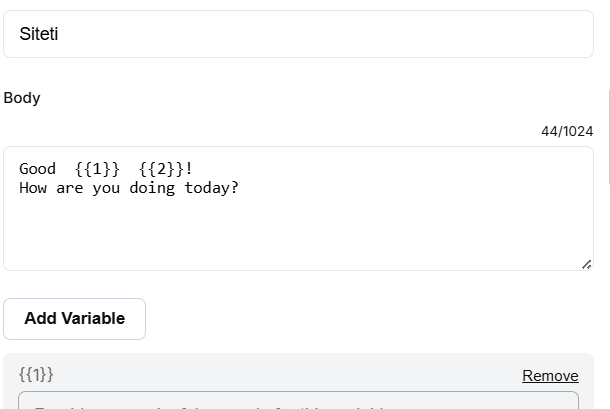
Draft your campaign message templates and submit them for Meta approval through your Siteti dashboard. Write each template with a specific, clearly useful purpose in mind. Avoid vague promotional language and ensure the message content directly relates to the business relationship you have with the recipient.
Submit templates several days before your intended campaign date. Approval timelines vary, and having approved templates ready in advance means your campaign goes out on schedule rather than being delayed by a pending review. Build a small library of approved templates over time so future campaigns can launch immediately without waiting for new approvals.
Step 5: Segment Your Contact List for Targeted Sends
Divide your contact list into segments based on relevant characteristics before sending. For a Nigerian e-commerce business, segments might include recent buyers, lapsed customers, and leads who enquired but never purchased. For a real estate agency, segments might separate residential buyers from commercial property inquirers or Lagos-based leads from Abuja-based ones.
Sending targeted messages to relevant segments produces higher response rates, lower opt-out rates, and better account quality scores than sending the same message to every contact regardless of their relationship with your business. Siteti’s campaign dashboard supports contact segmentation and targeted broadcast sends directly within the platform.
Step 6: Schedule And Send Within Safe Volume Thresholds
With your list segmented and templates approved, schedule your campaign and send it through your Siteti dashboard. Spread the send across a window of several hours rather than blasting the full volume at once. For a Tier 1 account sending to 1,000 contacts, distributing the send over three to four hours is a reasonable starting pace that keeps behavioral signals within safe thresholds.
If this is your first large campaign on a new API account, consider starting with a smaller segment of your most engaged contacts. A successful send to 300 highly engaged recipients builds your account quality score and demonstrates responsible messaging behavior before you scale to the full list.
Step 7: Monitor Performance And Account Quality After Sending
Once your campaign is live, track three metrics in real time. Delivery rate confirms that messages are reaching recipients successfully. Response rate indicates how well your message content and targeting are performing. Account quality score in WhatsApp Manager tells you whether the campaign is being received as legitimate communication or generating spam signals.
If your quality score moves toward yellow during or after a send, pause the remaining campaign volume, review your list quality, and assess whether the message content may be triggering reports before resuming. Catching a quality score decline mid-campaign and adjusting is significantly better than completing the full send and then managing a restriction.
Common Mistakes That Get WhatsApp Accounts Banned
Even businesses using the official WhatsApp Business API make avoidable errors that damage their account quality score or trigger outright restrictions. These are the most common ones Nigerian businesses encounter.
Messaging Cold Contacts Without Opt-In
This is the most frequent cause of account restrictions for Nigerian businesses attempting bulk messaging for the first time. Importing a purchased contact list, a scraped database of phone numbers, or even a general customer list that never explicitly opted in to WhatsApp communication and sending a campaign to all of them is the fastest path to a high spam report rate.
Recipients who do not recognize your number and did not ask to hear from you will report the message. Enough reports within a single evaluation cycle, and your account moves from green to red before the campaign even finishes sending. No API provider, including Siteti, can protect an account from the consequences of messaging people who do not want to be messaged.
Using Unofficial Bulk Sender Tools On An Active Business Number
This mistake is particularly damaging because the consequences are disproportionate to whatever short-term benefit the tool offered. Businesses that experiment with Chrome extensions or APK-based bulk senders on the same number they use for daily customer communication risk losing that number permanently.
A temporarily restricted number can sometimes be recovered. A permanently banned number tied to a MAC-address-level device restriction cannot. Any business that has built customer relationships, saved conversation histories, and active workflows around a specific WhatsApp number is putting all of that at risk by using unauthorized tools on it.
Sending Identical Unvaried Messages At High Volume
Template variables exist for a reason. Businesses that submit templates with personalization fields and then populate them with identical values for every recipient, or worse, send free-form messages with no variation whatsoever to large lists, are producing exactly the behavioral pattern WhatsApp’s AI is designed to detect and restrict.
Every message in a bulk send should be meaningfully differentiated through personalization. A recipient’s name, their specific inquiry, their location, or their last interaction with your business are all variables that make the message relevant to that individual and technically unique in the eyes of WhatsApp’s detection system.
Ignoring Opt-Out Requests
Continuing to send messages to contacts who have replied STOP, asked to be removed, or otherwise indicated they do not want further communication is both a policy violation and a practical self-harm. Every ignored opt-out is a potential spam report waiting to happen. At scale, a pattern of ignored opt-outs compounds into a quality score problem that affects every future campaign.
Maintaining a clean suppression list and honoring opt-out requests immediately is not just the ethical approach. It is operationally necessary for any business planning to use WhatsApp as a long-term marketing channel.
Sending At Maximum Volume Immediately After Account Creation
New API accounts start at Tier 1 for a reason. Meta’s tier system is designed to evaluate account behavior over time before granting higher sending capacity. Businesses that attempt to send at maximum volume from day one of their API account, before any quality history has been established, are operating without the behavioral track record that protects established accounts from aggressive AI scrutiny.
The safer approach is to start with smaller, highly targeted sends to your most engaged contacts, build a positive quality history over the first few weeks, and allow the tier system to reward that behavior with expanded capacity. Rushing this process typically ends in a quality score drop that sets the account back further than if it had started slowly.
Not Monitoring Account Quality Until A Restriction Hits
WhatsApp Manager provides real-time quality score visibility for a reason. Businesses that check their quality rating only after something goes wrong are missing the early warning system Meta built specifically to help them course correct before restrictions take effect.
A quality score moving from green toward yellow after a campaign is actionable information. It is a signal to pause, review list quality, adjust message content, or reduce send velocity before the next campaign goes out. Businesses that build a habit of checking their quality score before and after every significant send catch problems at the warning stage rather than the restriction stage, which is significantly easier and less disruptive to resolve.
Frequently Asked Questions
Can I send 1,000 WhatsApp messages for free?
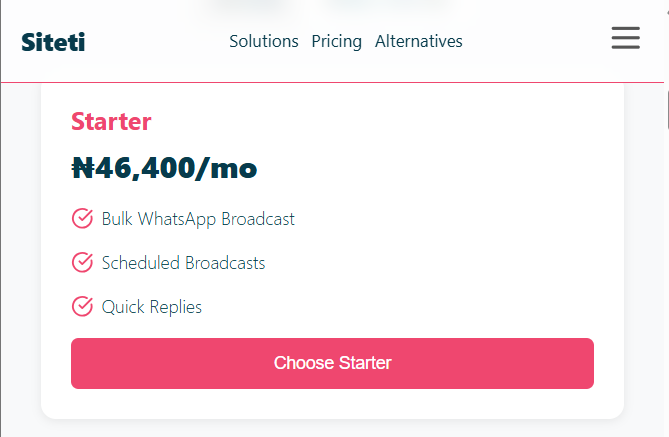
Not safely at scale. The free WhatsApp Business App broadcast list feature is capped at 256 contacts per list and only delivers to contacts who have saved your number. Reaching 1,000 people through broadcast lists requires manually creating and managing multiple lists, and the delivery limitations mean a significant portion of your list may never receive the message. The WhatsApp Business API, which is the only reliable method for reaching 1,000 or more contacts in a single campaign, involves a platform subscription fee and Meta’s per-conversation template charges. For Nigerian businesses, Siteti’s Naira-priced plans make this cost predictable and manageable without foreign currency complications.
How long does it take to get WhatsApp API access?
The timeline depends on how quickly the two prerequisites are completed. Meta Business Manager verification typically takes between one and five business days, depending on the documentation submitted and Meta’s current review queue. Display Name approval, which is required before messaging can begin, usually takes between one and three business days. Nigerian businesses that prepare their CAC registration documents or utility bills before starting the process move through verification faster. Siteti’s onboarding team works with new accounts through both steps, which reduces delays caused by incomplete submissions or formatting issues.
What happens if my account gets restricted mid-campaign?
A restriction mid-campaign typically means your account quality score has dropped to a level that triggers a temporary messaging limit or a full send suspension. The first step is to stop the remaining campaign volume immediately rather than attempting to push through the restriction. Log in to WhatsApp Manager and review your quality score and any policy notifications Meta has issued. Assess whether the restriction was triggered by spam reports, message content, or send velocity, and address the root cause before attempting to resume. Siteti’s support team can assist Nigerian businesses in diagnosing restriction causes and navigating the recovery process.
Can I use the same number I currently use on the WhatsApp Business App?
Yes, with one important caveat. Migrating a number from the standard WhatsApp Business App to the API involves a transfer process that briefly interrupts messaging access during the migration window. Existing conversation history does not transfer to the API platform, as WhatsApp does not permit chat history migration between infrastructure types. Your business profile, display name, and verified status transfer with the number. Scheduling the migration during a low-traffic period minimises disruption. Siteti handles the number migration process as part of onboarding for businesses moving from the standard app to the API.
How do I grow my opt-in list quickly before a campaign?
Several approaches work well for Nigerian businesses building opt-in lists ahead of a planned campaign. Click-to-WhatsApp ads on Instagram and Facebook are one of the fastest methods, directing interested prospects directly into a WhatsApp conversation where they can be tagged as opted-in contacts. A WhatsApp chat button on your website with a clear value proposition, such as exclusive offers or first access to new listings, converts existing site traffic into opted-in contacts. In-store or in-office sign-up prompts work well for businesses with physical locations. Each of these methods builds a list of contacts who have actively chosen to hear from you, which is the foundation of every successful bulk campaign.
Is bulk WhatsApp messaging legal in Nigeria?
Bulk WhatsApp messaging through the official Business API is legal in Nigeria, provided it is conducted in line with WhatsApp’s terms of service and Nigeria’s data protection framework. The Nigerian Data Protection Act requires that businesses obtain clear consent before sending marketing communications to individuals and provide a straightforward mechanism to opt out. Businesses that build opt-in lists, honor opt-out requests promptly, and send relevant, clearly identified business communications are operating within both WhatsApp’s policies and Nigerian regulatory requirements. Businesses that purchase contact lists, send unsolicited messages, or ignore opt-out requests are exposed to both platform restrictions and potential regulatory risk.
How many messages can I send per day on the API?
This depends on your current messaging tier. New API accounts start at Tier 1, which allows messages to 1,000 unique users within a 24-hour window. Accounts that maintain high-quality scores scale to Tier 2 at 10,000 unique users per day and Tier 3 at 100,000. Above Tier 3, businesses can apply for unlimited messaging status. Tier progression happens automatically based on quality score evaluations that run every six hours. The fastest way to move up tiers is to send consistently high-quality campaigns to opted-in lists and maintain low spam report rates over time.
Conclusion
Sending 1,000 WhatsApp messages without getting banned is not a loophole or a workaround. It is the straightforward result of using the right infrastructure, building the right contact list, and following the rules Meta has clearly laid out for businesses that want to communicate at scale.
The businesses that get banned are not always the ones acting in bad faith. Many are simply using the wrong tools, messaging the wrong lists, or moving too fast without understanding how WhatsApp’s quality evaluation system works. The cost of those mistakes, a permanently restricted number, a broken customer communication channel, and months of lost campaign momentum, is always higher than the cost of doing it correctly from the start.
The path forward is straightforward. Access the WhatsApp Business API through a provider that understands the Nigerian market. Build an opt-in contact list through legitimate channels before sending a single campaign message. Create approved templates that are relevant, personalized, and clearly tied to a real business relationship. Send at a pace that builds your quality score rather than triggering it. Monitor your account health before, during, and after every large send.
For Nigerian businesses, the additional consideration is finding a provider that removes the currency and payment friction that makes dollar-billed global platforms difficult to maintain long-term. A platform that bills in Naira, accepts Paystack and Flutterwave payments, and offers onboarding support tailored to the Nigerian market makes the entire process more accessible and more sustainable. Siteti is built precisely for that environment, giving Nigerian businesses API-level bulk messaging capability without the operational headaches that come with managing foreign currency subscriptions.
The 1,000-message campaign you have been planning is achievable, compliant, and effective when built on the right foundation. The only question is whether you build that foundation now or wait until a restriction forces the issue.