Most Nigerian businesses running on WhatsApp have two systems that do not talk to each other. The first system is where business events happen: payments confirmed, orders placed, appointments booked, and loans approved. The second system is where customer communication happens: WhatsApp. These two systems operate in isolation. This gap is exactly what a WhatsApp API integration is designed to solve by connecting backend events directly to customer messaging
The current workaround in most operations is a staff member who monitors the payment or order system and manually sends a WhatsApp message when a trigger event occurs. A payment comes in. The staff member sees it. The staff member types a confirmation message. The staff member sends it. This works until volume increases.
Why this workaround fails at scale is predictable. It introduces human latency into time-sensitive communications. A customer who receives a payment confirmation twenty minutes after paying may reasonably wonder if something went wrong. It creates single points of failure when that staff member is unavailable. If the person responsible for manual confirmations is out sick, the confirmations do not go out. It generates inconsistent message content across agents. One staff member writes “payment received, thank you.” Another writes,-sensitive-sensitive “your transaction was successful.” The customer experience varies based on which staff member happened to be on duty. A proper WhatsApp API integration removes this dependency on manual processes and standardizes communication across all events.
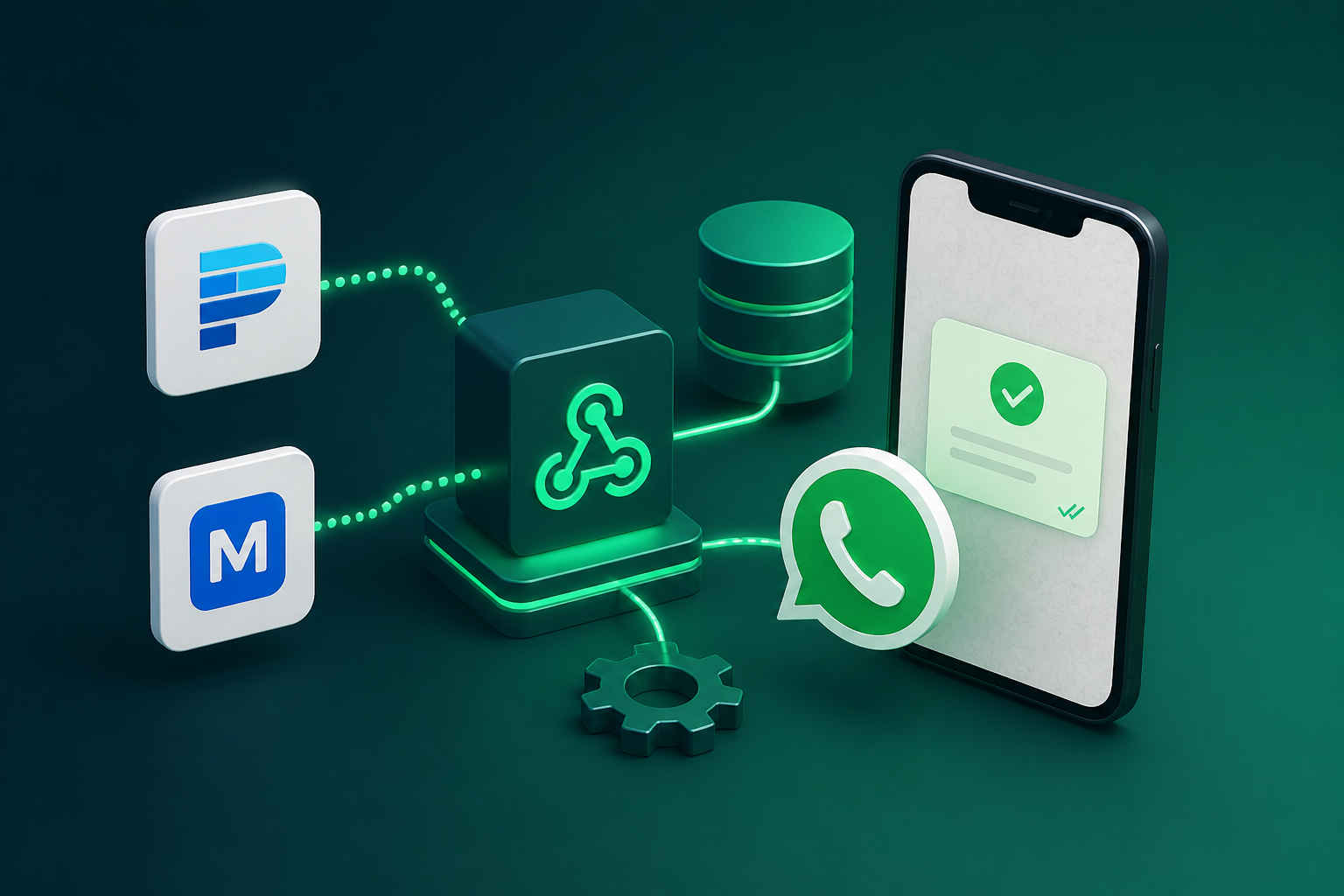
The architecture this guide builds is a direct bridge between your core database or payment provider and Siteti’s API. Business events automatically trigger precise, personalized WhatsApp messages without human intervention. A customer pays. The system sends a confirmation within seconds. The staff member never touches it.
Why Nigerian Fintech APIs Make This Particularly Interesting
Moniepoint, Paystack, and Flutterwave all expose webhook events that fire on payment confirmation, transfer completion, and transaction failure. These events are the most time-sensitive triggers in a Nigerian business context. A customer who has just made a payment expects immediate confirmation on WhatsApp, not a manually sent message twenty minutes later. The channel signals immediacy, and the response must match that signal.
The integration pattern covered in this guide works for any webhook-emitting system. Payment providers are the primary example because they have the most demanding latency requirements. But the same pattern applies to order management systems, loan origination platforms, booking engines, and custom internal databases. Once the bridge is built for payments, extending it to other event sources is a matter of adapting the payload handling.
What Siteti v2.6 Adds To This Architecture
Siteti v2.6 introduces or stabilizes several webhook and API capabilities that make this integration pattern reliable for production use. The specific endpoints this guide uses are the inbound webhook receiver, contact upsert, message send, template trigger, and conversation state query.
The authentication model in Siteti v2.6 handles API key authentication with request signing that prevents tampering. The guide will demonstrate what request signing looks like in practice and how to implement signature verification on both incoming and outgoing webhooks.
The key improvement in v2.6 relevant to this integration is the stability of the webhook delivery system. Previous versions had intermittent delivery delays under high load. Version 2.6 introduces a queued delivery architecture with guaranteed at least once delivery and configurable retry policies. For payment-triggered communication, where every message must eventually arrive, this reliability layer is the difference between a toy integration and a production system.
Part One: Architecture Overview
Before writing any code, the integration architect must understand the flow of data from event source to customer phone. This section describes the three layer model that separates concerns, handles failure modes, and scales with transaction volume.
The Three Layer Integration Model
Layer One – Event Source: This is the system where business events originate. In the primary example for this guide, the event source is Moniepoint’s payment webhook. In extended examples, the event source could be a custom PostgreSQL database, a Paystack subscription event, or an internal loan management system. The event source’s only job is to fire a webhook when something happens. It does not know or care what happens next.
Layer Two – Integration Middleware: This is the service that receives events from Layer One, validates and transforms the payload, and dispatches the appropriate API call to Siteti. This layer is the backbone of any WhatsApp API integration, handling logic, retries, and message orchestration. The middleware can be a lightweight Node.js or Python service, a serverless function on AWS Lambda or Google Cloud Functions, or a simple Express endpoint running on an existing backend. The middleware is where all the intelligence lives. It validates signatures, transforms payload formats, handles retries, manages idempotency, and logs every action.
Layer Three – Siteti API: This layer receives the processed event from middleware and executes the WhatsApp action. The action could be sending a message, triggering a template, updating a contact record, or initiating a conversation flow. Siteti’s API then communicates with Meta’s WhatsApp Cloud API, which delivers the message to the customer’s phone. The middleware never calls Meta directly. Siteti abstracts that complexity.
Architecture Diagram Description
The complete data flow follows a sequential path. Moniepoint fires a webhook to the middleware endpoint when a payment completes. The middleware receives the payload and validates the Moniepoint signature header to confirm the request is genuine. The middleware extracts the customer identifier from the payload, typically an account number or transaction reference, and queries an internal database to retrieve the customer’s WhatsApp number. The middleware then calls the Siteti API contact upsert endpoint to ensure the customer exists in Siteti’s contact database. The middleware selects the appropriate message template based on the event type and payment amount, then calls the Siteti API message send endpoint. Siteti sends the WhatsApp message to the customer. Siteti fires a delivery confirmation webhook back to the middleware. The middleware logs the delivery status to the internal database for audit purposes.
Each layer exists as a separate concern for a specific reason. Event sources should not call Siteti directly because payload transformation, error handling, rate limiting, and retry logic belong in middleware, not in the event source. If Moniepoint called Siteti directly, any change to Siteti’s API would require changing the Moniepoint configuration. Any transient failure in Siteti would be invisible to Moniepoint’s retry system. The middleware layer absorbs these concerns.
What Happens When Things Go Wrong
The architecture must handle several failure modes that occur in production environments. Moniepoint fires a webhook but Siteti API is temporarily unavailable. The middleware receives the webhook, attempts to call Siteti, and receives a timeout or 5xx error. The middleware stores the event in a dead letter queue with a status of pending retry. A background process retries the Siteti call with exponential backoff. The customer does not receive an immediate confirmation, but the system eventually delivers it when Siteti recovers.
The customer’s WhatsApp number is not in the Siteti contact database. The middleware queries the internal database and discovers no WhatsApp number associated with the customer identifier. The middleware cannot send the message. It stores the event in the dead letter queue with a status of missing contact information. An operations team member reviews the dead letter queue, resolves the missing number, and triggers a manual retry.
The message template has not been approved by Meta. The middleware calls Siteti to send a template message, and Siteti returns an error indicating the template is pending approval or was rejected. The middleware logs the error and stores the event for review. The operations team checks the template status in the Siteti dashboard and resolves the approval issue before retrying.
The payment event fires but the internal database has not yet updated. Moniepoint’s webhook may arrive milliseconds before the database write completes. The middleware queries the database for the customer’s WhatsApp number and finds nothing. The middleware implements a retry with backoff, waiting up to five seconds for the database to catch up before storing the event in the dead letter queue.
Why error handling is not optional in payment-triggered communication is simple. A customer who paid and received no confirmation will contact support, dispute the payment, or assume something went wrong. Any of these outcomes is more expensive than a robust retry implementation. The cost of building proper error handling is a fraction of the cost of a single support escalation from a confused customer.
Setting Up Siteti’s Webhook Infrastructure
Before the middleware can send messages or receive delivery confirmations, Siteti’s API credentials must be generated and secured, the inbound webhook endpoint must be configured, and the contact upsert pattern must be implemented. This section covers each of these foundational steps.
Generating And Securing Your Siteti API Credentials
The Siteti API key is found in the dashboard under the Api Access section. Navigate to Settings, then Api Keys, then Generate New Key. The key is displayed once and must be copied and stored immediately. Siteti does not display the key again after the initial generation.
API credentials must be stored securely in the middleware environment. The standard practice is to store the key as an environment variable, not hardcoded in the source code. In a Node.js environment, this means a .env file that is excluded from version control. In a serverless function, this means using the platform’s secrets management feature. The key should never be committed to version control. A commit containing an API key exposed in a public repository is a security incident.
Siteti v2.6 implements rate limits on API calls. The specific limits depend on the plan tier. The Starter plan allows approximately 60 calls per minute. The Pro plan allows significantly higher volume. When the middleware approaches the rate limit, Siteti returns a 429 status code with a Retry-After header. The middleware must detect this response and implement exponential backoff, waiting the specified duration before retrying.
Configuring Siteti’s Inbound Webhook Endpoint
The inbound webhook endpoint in Siteti receives the API calls that the middleware sends. The endpoint URL is provided by Siteti and is unique to the account. The middleware sends POST requests to this endpoint with a JSON payload containing the message details, template identifier, and recipient information.
Siteti also sends outbound webhooks to the middleware endpoint. These outbound webhooks deliver delivery confirmations, read receipts, customer replies, and conversation state changes. The middleware must expose a publicly accessible endpoint to receive these events. For development and testing, a local tunnel service like ngrok can expose a local development server to the internet.
Webhook verification prevents spoofed events. Siteti v2.6 signs every outbound webhook payload using an HMAC-SHA256 signature. The signature is included in a request header. The middleware must verify this signature before processing any webhook event. The verification algorithm is documented in the Reference section of this guide. Without signature verification, an attacker could send fake delivery confirmations to the middleware, corrupting the audit log.
Testing the webhook configuration before connecting to a live payment provider is essential. Siteti provides a webhook test tool in the dashboard that sends sample payloads to the configured endpoint. The middleware should be tested with these sample payloads to verify signature verification, payload parsing, and response handling before any production traffic flows.
The Contact Upsert Pattern
The core challenge of payment triggered messaging is that Siteti needs to know a customer’s WhatsApp number before it can send them a message. Payment webhooks contain customer identifiers such as account numbers, email addresses, or transaction references. They do not typically contain WhatsApp numbers. The middleware must bridge this gap.
The upsert pattern solves this problem. Before dispatching a message trigger, the middleware checks whether the customer exists in Siteti’s contact database. The middleware queries its own internal database to retrieve the customer’s WhatsApp number using the identifier from the payment webhook. If the number is found, the middleware calls the Siteti contact upsert endpoint to update the contact record with any new information. If the number is not found, the middleware cannot send the message and must store the event in the dead letter queue for manual resolution.
The Siteti contact upsert API call requires the phone number in international format, which means the Nigeria country code 234 followed by the phone number without the leading zero. The API also accepts optional fields including the contact name, custom attributes, and segment assignments. The response from the upsert call includes the contact ID, which the middleware should store in its internal database for future lookups, all the WhatsApp API integrations.
Handling the case where a customer’s WhatsApp number is not available at payment time requires a fallback strategy. One approach is to queue the message trigger and resolve the number gap through a separate data enrichment step. The middleware stores the payment event in a pending queue. A separate process attempts to enrich the customer record by sending an outbound WhatsApp message requesting the customer to confirm their number. Once the number is confirmed, the pending messages are dispatched. This pattern is more complex but necessary for businesses where WhatsApp numbers are not reliably stored alongside customer accounts.
Connecting Moniepoint Webhooks To Siteti
Moniepoint is the primary payment provider example in this guide because its webhook architecture is representative of Nigerian fintech APIs and because payment confirmation has the most stringent latency requirements of any use case. This section covers Moniepoint’s webhook architecture, the middleware handler implementation, template selection logic, and handling of failed payment events.
Moniepoint’s Webhook Architecture
Moniepoint exposes several webhook event types relevant to this integration. The payment.successful event fires when a customer completes a payment transaction. The payment.failed event fires when a payment attempt is declined. The transfer.completed event fires when a fund transfer between accounts finishes. The transfer.failed event fires when a transfer attempt is declined.
The structure of a Moniepoint payment.successful payload contains several fields that the middleware will need. The transaction reference is a unique identifier for the payment. The amount field contains the value in Naira. The customer account number identifies the payer. The timestamp indicates when the payment occurred. Additional fields include the transaction description, payment channel, and settlement information.
Registering the middleware endpoint as a Moniepoint webhook receiver is done through the Moniepoint dashboard. Under Developer Settings, then Webhooks, the business adds a new webhook endpoint URL. Moniepoint performs a verification handshake when the endpoint is registered, sending a test payload and expecting a specific response. The middleware must handle this verification correctly during setup.
Moniepoint’s retry behavior is important for reliability. If the middleware endpoint returns any HTTP status code other than 200, Moniepoint considers the delivery failed and retries. The retry schedule follows an exponential backoff pattern with a maximum of five retries over approximately two hours. The middleware must return a 200 response quickly after successfully processing the webhook, even if downstream operations such as calling Siteti are still pending. Returning a 200 after receiving the webhook but before processing prevents Moniepoint from retrying unnecessarily.
Building The Middleware Handler For Moniepoint Events
The complete middleware handler follows a sequential processing pipeline. The following annotated code walkthrough demonstrates a Node.js Express implementation.
The handler begins by receiving the Moniepoint webhook POST request. The first step is to validate the Moniepoint signature header. Moniepoint signs each webhook payload using an HMAC-SHA256 signature included in the X Moniepoint Signature header. The middleware recomputes the signature using its secret key and compares it to the header value. If the signatures do not match, the middleware returns a 401 response and logs a security alert.
After signature validation, the middleware extracts the relevant fields from the payload. The transaction reference is stored as a variable. The customer account number is extracted for database lookup. The amount is extracted for template selection. The timestamp is stored for audit logging.
The middleware then queries the internal customer database to retrieve the WhatsApp number associated with the account number. This query must be fast and reliable. A typical implementation uses a Redis cache with a database fallback. The customer database table should have an index on the account number column.
If the WhatsApp number is found, the middleware calls the Siteti contact upsert endpoint to ensure the contact exists. The upsert payload includes the phone number in international format, the customer name if available, and any custom attributes such as account tier or customer segment.
The middleware then selects the appropriate Siteti message template based on the event type and payment amount. The template selection logic is covered in detail in the next subsection.
The final step is dispatching the Siteti API call to trigger the WhatsApp message. The middleware constructs the request payload with the template ID and the variable mapping. The transaction reference, amount formatted in Naira, and customer name are passed as template variables.
After successfully dispatching the Siteti API call, the middleware returns a 200 response to Moniepoint to acknowledge receipt. The entire processing pipeline from webhook receipt to response should complete in under five seconds. Long-running operations such as database queries should be optimized or cached. The same pattern can be implemented in Python using Django or Flask. The signature verification uses the hmac module. The database query uses the Django ORM or SQLAlchemy. The Siteti API call uses the requests library. The structure is identical; only the syntax differs.
Template Selection Logic
A single “payment confirmed” template is not sufficient for production deployments. Different payment amounts, products, and customer tiers require different message content. A customer who paid ₦5,000 for a routine cleaning should receive a different confirmation message than a commercial client who paid ₦500,000 for a facility management contract.
The template selection function maps Moniepoint event attributes to the appropriate Siteti template ID. The function receives the payment payload and the customer record as inputs. It evaluates a series of rules in order. The first matching rule determines the template.
A practical example from a Nigerian buy now pay later platform illustrates the pattern. The platform operates with three customer tiers. First time borrowers receive a confirmation template that includes onboarding information about how to access their loan terms. Returning borrowers in good standing receive a simple thank you message with their new available credit amount. Borrowers with a previous late payment receive a confirmation that acknowledges the payment and reminds them of the importance of on-time payments for credit limit increases.
The template selection function implements these rules by checking the customer’s tier field retrieved from the internal database. If tier equals first time, select template id tpl_first_time. If tier equals returning and payment history contains no late payments, select template ID ‘tpl_returning_good’. If the tier equals ‘returning’ and payment history contains a late payment, select template ID ‘tpl_returning_late’.
Passing dynamic variables from the Moniepoint payload into Siteti template placeholders requires constructing a variables object. The transaction reference is passed as a variable named trans ref. The amount formatted in Naira is passed as amount. The customer name is passed as customer name. The next due date is passed as the next due date for businesses operating on a subscription or installment model.
Handling Moniepoint’s Payment – Failed Event
Payment failure messages are more sensitive than payment success messages and require different handling. A customer who receives a poorly worded failure message may feel embarrassed or accused. The tone and content must be carefully designed.
The two scenarios that generate a payment.failed event have different causes and require different customer messages. The first scenario is insufficient funds. The customer attempted a payment but their account balance was below the required amount. The second scenario is bank network failure. The payment provider’s systems or the customer’s bank experienced a temporary technical issue.
The customer message should differ between these scenarios. For insufficient funds, the message should be neutral and factual, offering alternative payment methods or a lower amount option if available. For bank network failure, the message should reassure the customer that the issue is temporary and suggest retrying in a few minutes.
The conditional template selection based on the failure reason code in the Moniepoint payload requires parsing the failure reason field. Moniepoint provides a reason code string. If the reason code contains “insufficient funds”, select the insufficient funds template. If the reason code contains “network” or “timeout”, select the bank network failure template.
What not to do is equally important. Sending a generic “your payment failed” message to a customer whose payment failed due to a temporary bank network issue that resolved itself on retry will cause confusion. The customer may check their bank balance, see that the payment was deducted, and assume the business is dishonest. The failure message should include clear instructions about what to do next, whether to retry immediately, contact support, or check with their bank.
Extending The Pattern To Other Systems
The integration pattern documented for Moniepoint works for any webhook-emitting system. This section adapts the pattern for Paystack, Flutterwave, custom internal databases, and legacy systems that do not expose modern APIs. The architectural pattern remains consistent. Only the payload handling changes.
Paystack Integration
Paystack’s webhook architecture differs from Moniepoint’s in several respects. The event naming conventions use different strings. Paystack fires a charge.success event for successful payments rather than payment.successful. The payload structure nests fields differently. The signature verification method uses a different header name.
The Paystack-specific payload fields that the middleware needs to extract are the reference field, which contains the unique transaction identifier; the amount field in kobo units, which must be divided by 100 to convert to Naira; the customer email field for identifier matching; and the authorisation object, which contains payment method details.
Adapting the Moniepoint middleware handler for Paystack events requires changing the payload parsing logic. The signature verification header name changes from X Moniepoint Signature to X Paystack Signature. The verification algorithm uses a different secret key provided in the Paystack dashboard. The rest of the handler structure, including the contact upsert, template selection, and Siteti API dispatch, remains unchanged.
Paystack’s charge.success event payload walkthrough shows the complete structure. The middleware extracts the customer email from the payload and uses it to query the internal database for the associated WhatsApp number. If the database stores customer records by email rather than account number, this mapping works without modification. If the database stores by phone number only, the middleware may need an additional lookup step.
Flutterwave Integration
Flutterwave’s webhook payload structure for the charge.completed event differs from both Moniepoint and Paystack. The event type field uses different strings. The transaction reference is nested inside a data object. The amount field is already in Naira and does not require conversion.
Flutterwave’s verification approach introduces an additional pattern called ‘verify before process’. Unlike Moniepoint and Paystack, where signature verification alone is sufficient, Flutterwave recommends that the middleware call Flutterwave’s verification endpoint to confirm the webhook payload is genuine. This pattern protects against forged webhooks that could pass signature verification.
The ‘verify before process’ pattern works as follows. The middleware receives the webhook and extracts the transaction reference. It then makes an outbound API call to Flutterwave’s transaction verification endpoint, passing the reference and the secret key. The verification endpoint returns the full transaction details. The middleware compares the returned data to the webhook payload. If they match, processing continues. If they do not match, the middleware rejects the webhook and logs a security alert.
A practical example from a Lagos logistics company using Flutterwave for delivery payment collection illustrates the pattern. The company delivers goods to customers who pay upon receipt. The driver completes the delivery, the customer pays via Flutterwave, and the charge.completed webhook fires. The middleware verifies the webhook using the ‘verify before process’ pattern, then calls Siteti to send a delivery confirmation WhatsApp message to the customer. The message includes the delivery reference and a thank you note.
Connecting A Custom Internal Database
For internal systems that do not expose webhook events, the polling alternative replaces the webhook-driven architecture. A scheduled middleware job polls a database view for new triggering records rather than waiting for an event to arrive.
The polling approach requires setting up a database trigger or perchèd view that surfaces records requiring WhatsApp notification. The trigger could detect new orders inserted into the orders table, status changes in a fulfilment table, appointment confirmations in a bookings table, or loan approvals in an applications table.
The polling middleware pattern uses a cron job that runs every two minutes. The job queries the trigger view for records created since the last poll. For each new record, the middleware dispatches the appropriate Siteti API call. After successfully dispatching the call, the middleware marks the record as notified in a separate tracking table to prevent duplicate sends on the next poll.
Why polling is acceptable for internal systems but not for payment providers comes down to latency tolerance. A customer who places an order expects an order confirmation, but a two-minute delay is acceptable. A customer who makes a payment expects a confirmation within seconds. Payment confirmation requires webhooks. Order confirmation can use polling.
Legacy System Integration
The challenge of integrating with older Nigerian business systems that do not expose modern APIs is common. Many businesses run on ERP systems, legacy accounting software, and custom-built management tools from the early 2010s that have no webhook capability and no REST API.
The file-based integration pattern solves this problem. A middleware service watches a designated directory for new CSV or XML export files from the legacy system. The legacy system is configured to export new records at regular intervals, typically once per hour or once per day, to a shared folder or FTP location.
When the middleware detects a new file, it parses the file, extracts the new records, and dispatches Siteti API calls for each record. After processing, the middleware moves the file to a processed directory to prevent reprocessing on the next scan.
A practical example from a Lagos property management company illustrates the pattern. The company runs a legacy tenant management system that cannot make API calls but can export a daily rent status CSV. The middleware scans the export directory each morning at 8am, parses the CSV, identifies tenants with overdue rent, and triggers personalized WhatsApp payment reminders through Siteti for each tenant. The entire process runs without human intervention. The legacy system continues operating exactly as it always has. The integration sits alongside it, reading data without modifying it.
The file-based pattern is not suitable for real-time notifications. A tenant who pays rent at 10am will not receive a confirmation until the next morning’s export run. But for use cases where daily batch processing is acceptable, such as payment reminders and daily summaries, the file-based pattern provides a reliable bridge between legacy systems and modern WhatsApp infrastructure.
Production Reliability Patterns
A webhook integration that works in development will fail in production without deliberate reliability patterns. This section covers idempotency to prevent duplicate messages, the dead letter queue pattern for failed events, rate limiting with exponential backoff, and monitoring with alerting. These patterns separate production-grade integrations from demonstration prototypes.
Idempotency: Preventing Duplicate Whatsapp Messages
The production problem is specific and predictable. Moniepoint retries webhook delivery if the middleware returns anything other than a 200 HTTP status code. If the middleware times out after successfully calling Siteti but before returning 200 to Moniepoint, Moniepoint will retry the webhook. The middleware will process the same payment event again. The customer will receive two identical payment confirmation messages. The duplicate message creates confusion and erodes trust.
The idempotency key pattern solves this problem. The middleware stores each processed transaction reference in a fast access store before dispatching any Siteti API call. Redis is ideal for this purpose because it provides sub-millisecond lookups. A simple database table with an indexed transaction reference column also works for lower-volume deployments.
When a webhook arrives, the middleware checks whether the transaction reference already exists in the idempotency store. If the reference exists, the middleware returns a 200 response to Moniepoint immediately without dispatching another Siteti API call. The customer receives only one message. If the reference does not exist, the middleware proceeds with processing and stores the reference after successfully dispatching the Siteti call.
The implementation adds minimal latency. A Redis EXISTS check takes less than one millisecond. The storage operation after successful dispatch takes another millisecond. The idempotency layer is not a performance bottleneck.
What idempotency does not solve is genuine duplicate events from the payment provider. In rare cases, Moniepoint may fire the same webhook twice with the same transaction reference but different timestamps. The idempotency key pattern handles this case correctly because the duplicate event has the same transaction reference and will be rejected. If the payment provider fires two distinct events for the same transaction, which should never happen but sometimes does, the middleware would treat them as separate transactions and send two messages. Detecting and handling this scenario requires additional logic that compares timestamps and amount fields.
The Dead Letter Queue Pattern
A dead letter queue in this context is a persistent store of webhook events that failed processing and need to be retried or investigated. Not every failed webhook should be retried automatically. Some failures require human intervention.
The middleware adds an event to the dead letter queue in three scenarios. First, when the Siteti API is unavailable after the maximum number of retry attempts. Second, when the customer’s WhatsApp number is not found in the internal database after all enrichment attempts. Third, when the message template has not been approved by Meta and cannot be sent.
Building a simple dead letter queue using a database table requires several status tracking fields. The event payload column stores the original webhook JSON. The status column can be pending, processing, completed, failed, or manual review. The retry count column tracks how many times the middleware has attempted to process the event. The last error column stores the error message from the most recent failure. The ‘created at’ and ‘updated at’ timestamps enable time-based alerting.
The operational review process for the dead letter queue must be defined before deployment. A responsible team member, typically an operations manager or senior engineer, reviews the dead letter queue each morning. Events in the manual review state require investigation. A missing WhatsApp number may indicate a data quality issue in the customer database. An unapproved template may indicate a problem with Meta’s review process. The reviewer resolves the issue and either manually triggers a retry or closes the event.
Rate Limiting And Backoff
Siteti’s API rate limits in v2.6 depend on the plan tier. The Starter plan allows approximately 60 calls per minute. The Pro plan allows higher volume. The API returns rate limit headers with each response. The X Rate Limit Remaining header indicates how many calls remain in the current window. The X Rate Limit Reset header indicates when the window resets. The middleware should monitor these headers and throttle requests when approaching the limit.
Implementing exponential backoff in the middleware retry logic requires several parameters. The starting interval is typically one second. The multiplier is two, meaning each retry waits twice as long as the previous retry. The maximum retries is five. Adding jitter, a small random delay added to each interval, prevents the thundering herd problem where multiple retrying instances make simultaneous requests when the rate limit resets.
The burst scenario deserves special consideration. A large payment batch processed simultaneously, such as payroll payments or subscription renewals, can generate hundreds of webhook events within seconds. The middleware would attempt to call Siteti for each event simultaneously, exceeding the rate limit immediately. The solution is a queue-based dispatch system. The middleware writes each incoming webhook to a message queue, and a separate worker process reads from the queue at a controlled rate. This pattern smooths the burst into a compliant send rate.
Monitoring And Alerting
The middleware should expose four metrics for monitoring. The webhook receive rate measures how many events arrive from the payment provider per minute. A sudden drop to zero may indicate that the webhook endpoint is unreachable or the payment provider has changed its configuration. The Siteti API call success rate measures what percentage of API calls return a 2xx status code. A drop below 95 percent requires investigation. The message delivery confirmation rate measures what percentage of dispatched messages receive a delivery confirmation from Siteti’s outbound webhook. A low delivery rate may indicate invalid phone numbers or network issues. The dead letter queue depth measures how many events are awaiting manual review. A depth exceeding ten events should trigger an alert.
Setting up alerting thresholds requires business-specific judgment. A dead letter queue depth of five events might be acceptable for a business processing one hundred payments per day. The same depth would be a crisis for a business processing ten thousand payments per day. The alerting system should send notifications to a PagerDuty or Slack channel when thresholds are exceeded.
The audit log schema must support debugging and compliance. Every webhook processing event should write a record containing the transaction reference, the event type, the timestamp of receipt, the middleware instance ID, the success or failure status of each processing step, the Siteti API response status code, and the delivery confirmation status when available. A fintech support agent investigating a customer complaint that their payment confirmation never arrived should be able to query the audit log by transaction reference and resolve the investigation in under two minutes.
Security Considerations
A webhook integration that sends payment confirmations handles sensitive customer data and must be secured accordingly. This section covers protecting webhook endpoints, protecting customer WhatsApp numbers, and implementing API key rotation without downtime.
Protecting Your Webhook Endpoints
The middleware endpoints that receive Moniepoint webhooks and Siteti outbound webhooks should not be publicly documented or discoverable. An attacker who finds these endpoints could send forged webhooks to trigger false payment confirmations or poison the audit log.
Signature verification is the primary defense against forged webhooks. The middleware must verify the signature header on every incoming request before processing any data. The verification uses a secret key shared between the middleware and the event source. For Moniepoint, the secret key is configured in the Moniepoint dashboard. For Siteti, the secret key is provided in the Siteti dashboard. The verification algorithm recomputes the HMAC-SHA256 signature of the raw request body using the secret key and compares it to the signature header. If the signatures do not match, the middleware returns a 401 response and logs a security alert.
IP allowlisting serves as a secondary defense for payment provider webhooks. Moniepoint publishes its IP address ranges for webhook origin traffic. The middleware can check the source IP of each incoming request against an allowlist and reject requests from outside those ranges. This defense is not sufficient on its own because IP addresses can be spoofed, but it adds a layer of defense against opportunistic attacks.
Rate limiting the middleware’s own webhook receiver endpoints prevents denial of service through webhook flooding. An attacker who cannot forge valid signatures could still send a high volume of invalid requests, consuming the middleware’s resources. The middleware should implement request rate limiting based on client IP address, returning a 429 status code when thresholds are exceeded.
Protecting Customer Whatsapp Numbers
Customer WhatsApp numbers are personal data under Nigeria’s Data Protection Act. The Act requires data controllers to implement appropriate security measures to protect personal data from unauthorized access, loss, or disclosure.
Storing WhatsApp numbers in the middleware and internal database requires encryption at rest. The database tables containing WhatsApp numbers should be encrypted using AES-256 or equivalent. The encryption keys must be stored separately from the data, ideally in a secrets management service or hardware security module. Backups of the database must also be encrypted.
Access control for WhatsApp communication logs should follow the principle of least privilege. Only the customer support team and the integration engineering team should have access to raw communication logs. Other teams, such as marketing or finance, should see only anonymized or aggregated data. Siteti’s role-based access control can enforce these distinctions at the application level.
The data retention policy for WhatsApp communication logs must be documented and enforced. The policy should specify how long logs are retained, the purpose of retention, and the deletion schedule for logs older than the retention period. For most businesses, a retention period of 90 days is sufficient for customer support and audit purposes. Logs older than 90 days should be deleted automatically.
Handling a customer’s right to erasure request requires coordination across multiple systems. When a customer requests deletion of their personal data, the business must delete the WhatsApp number from the internal database and request that Siteti delete the contact record. Siteti’s API includes a contact deletion endpoint for this purpose. The business must also delete any archived webhook logs containing the WhatsApp number. The erasure request should be logged with a timestamp for compliance auditing.
API Key Rotation
Rotating Siteti API keys without downtime requires the dual key transition pattern. In this pattern, both the old key and the new key are valid during a rotation window. The middleware is updated to use the new key, but the old key remains active in Siteti’s system for a configured period. Once the middleware has been fully deployed and verified, the old key is revoked.
The implementation steps are specific. First, generate a new API key in the Siteti dashboard without revoking the existing key. Siteti supports multiple active keys simultaneously. Second, update the middleware configuration to use the new key. This may involve updating environment variables and restarting instances. Third, verify that the middleware is successfully authenticating with the new key by checking the logs for authentication errors. Fourth, after the verification period, typically 24 to 48 hours, revoke the old key in the Siteti dashboard.
API keys should be rotated on specific events. When a team member with access to the keys leaves the company, immediate rotation is required. When credentials are suspected of exposure in a log file or version control system, immediate rotation is required. For high security deployments, scheduled rotation every 90 days is recommended practice.
Implementing zero downtime key rotation in a middleware environment with multiple running instances requires careful coordination. The instances must not all be restarted simultaneously. A rolling deployment where one instance at a time is updated to use the new key ensures that at least one instance remains available to process webhooks during the rotation.
Testing Strategy
A webhook integration that processes payment events cannot be tested adequately in production. This section covers unit testing of middleware components, integration testing with Siteti sandbox and Moniepoint test mode, and load testing to validate performance under burst conditions.
Unit Testing Your Middleware
Unit tests verify individual components in isolation. The middleware should have three categories of unit tests.
Testing the Moniepoint signature verification function independently requires a set of test fixtures. The test generates a known payload, computes the expected signature using the test secret key, and asserts that the verification function returns true for the correct signature and false for an incorrect signature. Edge cases include missing signature headers, malformed signature strings, and expired timestamps if the signature includes a timestamp claim.
Testing the template selection logic requires fixture payloads covering all event types and edge cases. The test suite should include a payment.successful payload for a first time customer, a payment.successful payload for a returning customer, a payment.failed payload with insufficient funds reason, a payment.failed payload with network failure reason, and payloads with missing fields that should trigger fallback template selection. Each test asserts that the correct template ID is returned.
Testing the Siteti API call construction uses mock HTTP client assertions. The test simulates a successful webhook processing flow without making actual API calls to Siteti. The test asserts that the middleware constructs the correct request URL, headers, and JSON body for the contact upsert call and the message send call. The mock client can be configured to return success responses or error responses to test error handling paths.
Integration Testing
Integration testing verifies that the middleware correctly communicates with real external systems in a controlled environment.
Setting up a Siteti sandbox environment for integration testing is a prerequisite. The Siteti dashboard provides a sandbox mode that does not send actual WhatsApp messages. API calls to the sandbox endpoint return success responses without hitting Meta’s infrastructure. The sandbox environment has its own API keys and webhook endpoints, separate from production.
Using Moniepoint’s test mode to generate payment webhook events without real transactions is similarly straightforward. The Moniepoint dashboard provides test card numbers and test account credentials. The business can trigger test payment events that fire webhooks to the configured middleware endpoint. Running the test events through the sandbox Siteti environment validates the complete integration path from a payment provider to WhatsApp without any real money movement or real customer messages.
End-to-end test scenarios that every integration should pass before production deployment include the following. The successful payment flow test triggers a test payment event and verifies that the middleware receives the webhook, validates the signature, queries the test database, upserts the contact, selects the correct template, and calls the Siteti sandbox API. The failed payment flow test triggers a test payment failure event and verifies that the middleware selects the failure template and does not send a success message. The duplicate event handling test sends the same test payment event twice and verifies that only one Siteti API call is made. The dead letter queue population test simulates a Siteti API failure by pointing the middleware to an invalid endpoint and verifies that the event is stored in the dead letter queue with the correct status.
Load Testing
Load testing simulates realistic production traffic patterns to validate that the middleware can handle peak volume without degrading performance.
Simulating a payment batch scenario means generating 500 simultaneous Moniepoint webhook events hitting the middleware endpoint. This volume might occur during a payroll run where hundreds of employees receive salaries simultaneously, or during a subscription renewal batch where hundreds of customers are charged on the same day.
What to measure during load testing includes five metrics. Middleware processing latency measures the time from webhook receipt to response. The acceptable threshold is under five seconds at the 95th percentile. Siteti API error rates under load should remain below one percent. Dead letter queue behavior should show no unexpected queue growth. Database connection pool exhaustion should be monitored to ensure connections are released properly. CPU and memory utilization on the middleware instances should remain below 80 percent.
Tools and approach for load testing a webhook middleware service in a Nigerian cloud hosting context include several options. Apache JMeter can simulate webhook POST requests with configurable concurrency. Artillery is a lighter weight option designed for API load testing. For teams using AWS, the Lambda Load Testing Tool can generate traffic from multiple regions. The load test should run in a staging environment that mirrors production configuration, not against production infrastructure.
FAQs For Development Teams
What Is The Maximum Payload Size Siteti’s Inbound Webhook Endpoint Accepts?
Siteti’s inbound webhook endpoint accepts payloads up to 1 megabyte. Most payment webhook payloads are under 10 kilobytes. The limit accommodates large custom payloads from internal systems but should not be assumed to be unlimited. Middleware should reject payloads exceeding 1 megabyte with a 413 response.
How Does Siteti Handle Whatsapp Message Delivery When The Recipient’S Phone Is Offline?
Siteti queues the message on Meta’s infrastructure. Meta retains undelivered messages for up to 30 days. When the recipient’s phone comes online, Meta delivers the queued messages. The middleware receives a message.delivered webhook only after delivery actually occurs, not when the message is queued. The middleware should not assume that a successful API response means the message has been delivered to the customer’s phone.
Can Multiple Middleware Instances Process Siteti Webhooks Simultaneously Without Race Conditions?
Yes, with proper idempotency implementation. Multiple instances can receive the same webhook simultaneously if the payment provider retries a delivery and the load balancer distributes the retry to a different instance. The idempotency store must be shared across instances. A Redis instance accessible to all middleware instances serves this purpose. An in-memory store that is local to each instance will not prevent duplicate processing across instances.
What Happens To Queued Siteti Api Calls When A Meta Template Is Pending Approval?
Siteti rejects API calls that reference unapproved templates with a 404 error code. The middleware must detect this error and store the event in the dead letter queue. The operations team must monitor the template approval status in the Siteti dashboard. When the template is approved, the team can manually retry the queued events or allow the dead letter queue retry mechanism to process them automatically.
How Does Siteti V2.6 Handle The Bsuid Identifier In Webhook Payloads For Contacts Who Message Via Whatsapp Username?
Siteti v2.6 includes the BSUID identifier in outbound webhook payloads for contacts who message using a WhatsApp username rather than a phone number. The BSUID field is present in the conversation.state webhook and can be used to correlate conversations across sessions. The middleware does not need to take any action on the BSUID for standard messaging flows, but it can be stored in the audit log for advanced conversation tracking.
Is There A Siteti Sdk For Node.Js Or Python, Or Are All Integrations Raw Http?
As of Siteti v2.6, there is no official SDK for Node.js or Python. All integrations are raw HTTP. The API is RESTful, and the authentication model is standard bearer token. Most development teams find raw HTTP with the fetch or requests library sufficient. The Reference section of this guide provides the complete endpoint specifications needed to build the integration without an SDK.
What Is Siteti’S Sla For Api Availability And How Should Middleware Retry Logic Account For Planned Maintenance Windows?
Siteti’s API SLA for v2.6 is 99.9 percent availability per calendar month. Planned maintenance windows are announced at least 48 hours in advance via email and the Siteti status page. Middleware retry logic should implement exponential backoff with a maximum retry interval of 60 seconds. During planned maintenance windows, the API returns a 503 status code with a Retry-After header. The middleware must respect the Retry-After value and queue events for processing after the maintenance window concludes.
Conclusion
The integration pattern this guide documents is not complicated. It is careful. The difference between a payment-triggered WhatsApp system that works reliably in production and one that generates duplicate messages, misses confirmations, and fills a support queue with “I never got my receipt” complaints is almost entirely in the reliability patterns. Idempotency prevents duplicates. Dead letter queues prevent data loss. Signature verification prevents spoofing. Audit logging enables debugging.
Nigerian businesses have a uniquely high expectation for WhatsApp communication reliability because the channel carries trust that email never did. A missed payment confirmation on WhatsApp is experienced as negligence in a way that a missed email confirmation is not. The customer who pays and receives no confirmation does not think “their system must have had a temporary error.” They think “did my payment actually go through?” The thought creates anxiety. The anxiety creates a support ticket. The support ticket costs the business time and the customer’s trust.
Siteti’s webhook and API infrastructure in v2.6 provides the foundation for a production-ready WhatsApp API integration. The endpoints are stable. The authentication is standard. The webhook delivery is reliable. The middleware patterns in this guide provide the reliability layer that makes the integration production-grade rather than just functional in testing. The middleware is where the integration earns the customer’s trust through speed, accuracy, and consistency.
The next integrations to build after payment triggers follow the same three-layer architecture. Appointment reminders from a booking system use the same webhook receiver pattern. Loan status updates from an origination platform use the same contact upsert pattern. Order fulfilment notifications from an inventory system use the same template selection logic. The event source changes. The middleware adapts. The Siteti API remains constant.
The final recommendation is to start small. Build the middleware for a single event type, payment.successful, before adding payment.failed or transfer.completed. Test idempotency with duplicate webhooks before handling real volume. Monitor the dead letter queue daily during the first month. Add alerting only after the basic flow is stable. A simple integration that works reliably is better than a complex integration that fails unpredictably.