Can multiple sales agents use one WhatsApp Business number?
Yes. Multiple agents can manage customer conversations from one WhatsApp Business number using a shared inbox system like Siteti.
A shared inbox allows businesses to:
- Assign conversations to specific agents
- Track response times
- Prevent duplicate replies
- Maintain conversation history when agents leave
- Manage customer support and sales from one dashboard
This playbook explains how Nigerian businesses can build and manage a multi-agent WhatsApp sales team using one number, including assignment rules, response time systems, follow-up protocols, and scaling frameworks.
Part One: Building the Foundation — Shared Inbox Architecture
Before any discussion of assignment logic, response time standards, or performance metrics, the foundational question must be addressed: how does the team access and manage customer conversations? The answer determines everything that follows. A team operating from personal phones cannot implement the systems described in this playbook. A team operating from a shared inbox can.
Why are personal WhatsApp accounts risky for sales teams?
Personal WhatsApp accounts create visibility and ownership problems for businesses. Managers cannot track response times, monitor follow-ups, or retain customer conversation history when agents leave the company.
Why Personal Phones Are A Structural Business Risk
The practice of having each sales agent manage customer conversations on their personal WhatsApp account is widespread among Nigerian SMEs. It appears cost-effective and simple. No software to buy. No setup to configure. Each agent already knows how to use WhatsApp. But this apparent simplicity conceals structural risks that compound as the team grows.
Every conversation on a personal phone is invisible to the business. The manager cannot see which customers have messaged, which agents have responded, or how long responses took. The business operates blind.
When an agent leaves, their WhatsApp conversation history leaves with them. The relationship context built over months or years of customer interaction walks out the door. The new agent replacing them starts from zero with every customer.
No manager can see response times, conversion rates, or dropped leads from a personal phone setup. Performance measurement is impossible because no data exists. The manager cannot identify which agents are closing leads and which are letting them go cold.
The compounding problem is that as the team grows, the visibility problem gets worse, not better. A single agent managing their own phone is merely unmanageable. A team of five agents each managing their own phone is chaotic. No one knows who is responsible for which conversation. Customers receive duplicate responses from multiple agents or no response at all.
A practical example illustrates the failure mode. A Lekki-based interior design company employed four sales agents, each managing customer conversations on their personal WhatsApp accounts. The owner operated on the assumption that all four agents were actively following up with leads. After several weeks of declining conversion rates, the owner conducted a manual audit by asking each agent to screenshot their recent conversations. The audit revealed that two agents had been ignoring follow-up messages for weeks. Each assumed the other agents were handling those customers. No one was accountable. The business lost leads that would have converted with even basic follow-up.
How do you set up a shared WhatsApp inbox for a sales team?
A shared WhatsApp inbox is set up by connecting a WhatsApp Business API number to a platform like Siteti, creating agent accounts, configuring assignment rules, and enabling notifications for conversation ownership.
Here’s a simple video guide on how to handle 100+ WhatsApp chats with one number
What A Shared WhatsApp Team Inbox Actually Is
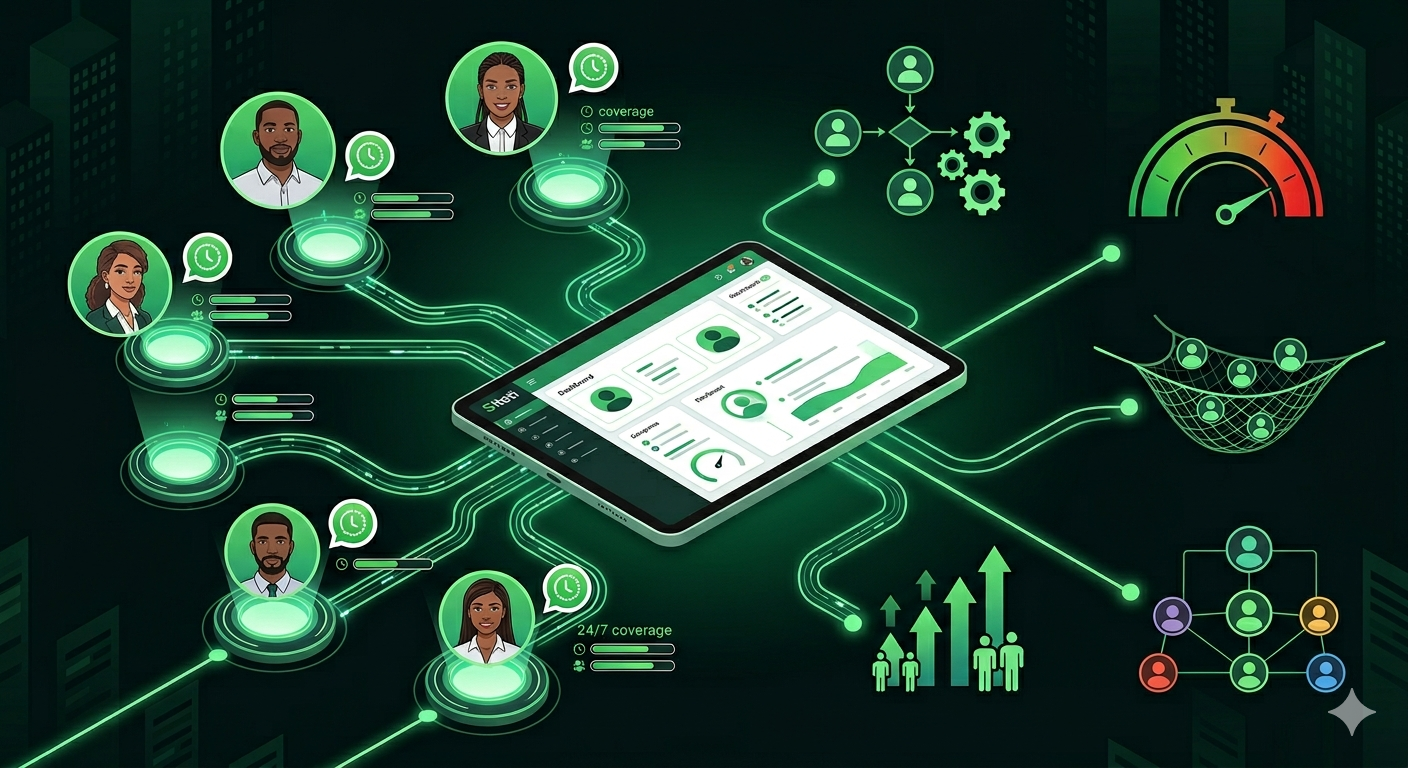
A shared inbox is not a complex technical concept. It is one WhatsApp Business number, accessed by multiple agents, through a single dashboard. Every incoming message is visible to the entire team and to management simultaneously. No message lives on a personal device.
Conversations are assigned to specific agents with clear ownership. When a conversation is assigned, the responsible agent knows they are accountable for response time and follow-up. Other agents can see that the conversation is already handled and do not duplicate efforts.
All conversation history is centralized and accessible. When an agent leaves the team, their conversation history remains in the shared inbox. A new agent can review past interactions with a customer and continue the relationship without starting over.
The operational analogy is instructive. A shared inbox is the WhatsApp equivalent of an open-plan sales floor. In a physical office, the manager can walk the floor and see which agents are on calls, which are available, and which are idle. The shared inbox provides the same visibility for WhatsApp conversations. The manager can see which agents are actively responding, which conversations are pending, and which have been waiting too long.
A shared WhatsApp inbox is set up by connecting a WhatsApp Business API number to a platform like Siteti, creating agent accounts, configuring assignment rules, and enabling notifications for conversation ownership.
How do you set up a shared WhatsApp inbox for a sales team?
A shared WhatsApp inbox is set up by connecting a WhatsApp Business API number to a platform like Siteti, creating agent accounts, configuring assignment rules, and enabling notifications for conversation ownership.
Setting Up Your Shared Inbox On Siteti
The following steps assume the business has already obtained an official WhatsApp Business API number through Siteti, which acts as an official Meta Business Partner. The setup process takes approximately thirty minutes for a basic configuration.
Connecting Your WhatsApp Business API Number To Siteti’s Shared Inbox: After creating a Siteti account, navigate to the Channels section and select WhatsApp. Enter the phone number associated with your WhatsApp Business API account. Siteti will verify the number through Meta’s API and establish the connection. No additional middleware or third-party tools are required. Find out more on how to claim your WhatsApp Business Username in Nigeria
Creating Agent Accounts And Defining Access Levels: Siteti supports three access levels. Agent-level users can view assigned conversations, respond to customers, and mark conversations as resolved. They cannot see unassigned conversations or modify team settings. Supervisor-level users have all agent permissions plus the ability to view all conversations across the team, reassign conversations between agents, and access basic analytics. Administrator-level users have full platform access, including billing, team management, and flow configuration. Most businesses assign agent level to frontline sales staff, supervisor level to team leads, and administrator level to one or two operations managers.
Configuring Notification Settings: The goal of notification configuration is to alert agents to new assignments without overwhelming them with every incoming message. Siteti allows per-agent notification settings. A typical configuration is push notifications for newly assigned conversations only, not for every message in the inbox. Email notifications for missed assignments after a defined delay. No notifications for conversations assigned to other agents. This ensures agents are aware of their responsibilities without being distracted by activity outside their scope.
Setting Up The Inbox View: The shared inbox can be filtered by agent, status, and segment. A supervisor might filter by unassigned conversations to see what needs routing. An agent might filter by their own open conversations to see what requires follow-up. The default view for most agents should show only conversations assigned to them. The default view for supervisors should show all conversations sorted by oldest unresponded first.
The First Configuration Decision (manual assignment versus automated routing): Every team must decide how conversations are assigned to agents. Manual assignment means a supervisor or team lead reviews each incoming conversation and assigns it to an agent. This provides maximum control but requires a dedicated supervisor during all hours the inbox is monitored. Automated routing means Siteti assigns conversations based on predefined rules. This requires more upfront configuration but scales without constant supervisor attention. The right choice depends on team size, inquiry volume, and whether a dedicated supervisor is available. Small teams under five agents with moderate volume often start with manual assignment. Teams above five agents or with high volume should configure automated routing.
What should businesses configure before launching a shared WhatsApp inbox?
Before handling live customer conversations, businesses should configure their shared inbox structure, agent permissions, and assignment rules properly.
- Connect the WhatsApp API Number
Verify and connect the official business number to Siteti. - Create Agent Accounts
Assign agent, supervisor, and administrator access levels. - Configure Notifications
Ensure agents only receive notifications for assigned conversations. - Set Inbox Views
Configure filtered views for agents and supervisors. - Test Assignment Rules
Verify manual or automated routing with sample conversations. - Train The Team
Explain ownership rules, reassignment protocols, and shared inbox workflows.
Part Two: Lead Assignment Logic — Who Gets What and Why
A shared inbox without assignment logic is merely a shared view of chaos. When every agent can see every conversation but no agent is explicitly responsible for any conversation, the result is diffusion of responsibility. Each agent assumes another agent will respond. The customer waits. The lead goes cold. Assignment logic is the mechanism that prevents this failure mode by ensuring every conversation has a single, identifiable owner.
The Three Assignment Models
Siteti supports three distinct models for assigning conversations to agents. The right model depends on team size, inquiry complexity, and whether the team has specializations.
Manual Assignment
In the manual assignment model, a supervisor or team lead reviews incoming conversations as they arrive and assigns each to an agent based on availability, expertise, or lead value. The supervisor acts as a dispatcher, directing traffic and ensuring workload is distributed appropriately.
Manual assignment works best for small teams of under five agents where the supervisor is actively monitoring the inbox throughout the day. The advantage is control. The supervisor can make nuanced decisions that automated rules cannot replicate, such as assigning a high-value lead to the most experienced agent or balancing workload when one agent is already handling several complex conversations.
The disadvantage is that manual assignment requires a dedicated supervisor during all hours the inbox is monitored. If the supervisor steps away for a meeting or lunch, assignments queue up and response times increase. For teams with consistent supervisor availability, manual assignment provides excellent control. For teams without a dedicated supervisor role, automated assignment is more reliable.
Round Robin Assignment
In the round robin model, incoming conversations are distributed sequentially across available agents. The first conversation goes to Agent A, the second to Agent B, the third to Agent C, the fourth back to Agent A, and so on. The distribution is even regardless of lead type, lead value, or agent expertise.
Round robin works best for homogeneous teams where all agents handle the same types of inquiries with similar skill levels. A team of customer support agents handling basic product questions are a good candidate. A team with junior and senior agents handling different complexity levels is not.
The advantage of round-robin is its simplicity. No supervisor intervention is required, and workload is automatically balanced. The disadvantage is that round robin cannot account for lead value or agent specialisation. A high-value lead might be routed to the newest agent, while a routine inquiry goes to the most experienced agent. For teams where all leads are similar in value and complexity, this is acceptable. For teams with tiered lead handling, rule-based assignment is superior.
Rule-Based Assignment
In the rule-based model, conversations are routed to specific agents or agent groups based on defined criteria. The criteria can include keywords in the first message, contact segment, time of day, or source of inquiry. Rules are evaluated in order, and the first matching rule determines the assignment.
Rule-based assignment works best for teams with specializations or tiered lead handling. A team that routes technical support questions to one agent group and sales inquiries to another needs rule-based assignment. A team that routes high-value leads to senior agents and routine inquiries to junior agents needs rule-based assignment.
The advantage of rule-based assignment is precision. Conversations go to the agent best equipped to handle them. The disadvantage is that rules require careful configuration and ongoing maintenance. As products, services, and team structure change, rules must be updated. A rule set that goes unmaintained will eventually route conversations incorrectly.
Building Your Assignment Rules In Practice
A practical example illustrates how rule-based assignment works in a real Nigerian business context. A Victoria Island real estate agency operates with three agent tiers. Junior agents handle new inquiries from first-time contacts, asking basic qualification questions and capturing contact information. Mid-level agents handle qualified leads who have expressed serious interest in specific properties, providing detailed information and scheduling viewings. Senior agents handle negotiation-stage conversations where pricing, payment terms, and contracts are discussed.
The agency configures Siteti rules as follows. Rule one checks the contact segment. If the contact is tagged as “qualified lead”, the conversation is routed to a mid-level agent using round robin within that agent group. Rule two checks the contact segment again. If the contact is tagged as “negotiation”, the conversation is routed to a senior agent. Rule three applies to all remaining conversations, which are new inquiries, and routes them to junior agents.
This configuration ensures that a lead who has already been qualified by a junior agent is automatically routed to a mid-level agent on their next contact, without needing to be requalified. A lead who has moved to negotiation is automatically routed to a senior agent. The routing happens based on the contact’s segment, which is updated manually by agents as the lead progresses.
Segment-based Routing Configuration: In Siteti, WhatsApp segments are labels applied to contacts based on their behavior, declared preferences, or agent classification. A contact tagged as “high value” or “warm lead” can be routed differently from a contact tagged as “new inquiry” or “cold”. The agency in the example uses segments to move contacts between agent tiers as they progress through the sales funnel.
Check out our curated quick guide on how to segment WhatsApp contacts with Siteti here
Time-based Routing: Time-based routing shifts assignment rules during off hours. A typical configuration during business hours routes conversations to the full team using standard rules. After 7pm, the rules change to route all conversations to a single agent on evening coverage. After 10pm, the rules change again to send an automated acknowledgment with no human assignment until morning. Siteti allows time-based rules to be configured with different start and end times for each day of the week, accommodating different schedules for weekdays and weekends.
Source-based routing: Source-based routing routes leads differently based on where the customer originated. A customer who messages from an Instagram ad might be routed to an agent specializing in social media leads. A customer who messages from an organic WhatsApp link on the website might be routed to a general sales agent. A customer who messages from a referral link might be routed to a senior agent because referral leads typically have higher conversion rates. Source information is captured when the customer clicks a unique WhatsApp link that includes a source parameter. Siteti reads this parameter and makes it available as a variable in routing rules.
Why Should Every WhatsApp Conversation Have One Owner?
Shared visibility without clear ownership creates diffusion of responsibility. This is a well-documented psychological phenomenon known as the bystander effect. When multiple people are capable of acting, each assumes someone else will act. In a shared inbox, when five agents can all see a message, each assumes one of the others will respond. The result is no response at all.
The solution is the ownership rule: every conversation must have a single assigned owner who is accountable for response time and follow up. The owner is not merely the agent who happens to respond first. The owner is the agent who is explicitly assigned to the conversation through Siteti’s assignment mechanism.
When a conversation is assigned, the responsible agent receives a notification. The conversation appears in their assigned view. Other agents can see that the conversation has an owner and do not need to intervene. The supervisor can see which agent owns each conversation and hold that agent accountable for outcomes.
The ownership rule applies regardless of the assignment model: In manual assignment, the supervisor assigns ownership explicitly. In round robin, the system assigns ownership automatically. In rule-based assignment, the rules determine ownership. But in all models, every conversation has an owner.
Reassignment protocols when an agent is unavailable: When an agent is unavailable due to time off, illness, or leaving the company, their assigned conversations must be reassigned. Siteti allows supervisors to bulk reassign all conversations from one agent to another with a few clicks. For planned time off, agents can set themselves as unavailable in Siteti, and the system will stop assigning new conversations to them while preserving their existing assignments. For unplanned absence, supervisors can manually reassign open conversations to other agents.
The reassignment protocol should be documented and socialised: When Agent A is out, who covers their conversations? How quickly should reassignment happen? What is the handoff process if a customer asks why their previous agent is no longer responding? A clear protocol prevents the confusion that otherwise arises when customers are transferred between agents without explanation.
Part Three: The Response Time Framework
Response time is not a customer service metric. It is a revenue metric. A WhatsApp inquiry responded to within five minutes is exponentially more likely to convert than one responded to within an hour. The channel signals immediacy. Customers who message a business on WhatsApp expect a faster response than they would from email or a contact form. A slow response on WhatsApp feels less like a delay and more like rejection.
Why Is WhatsApp Response Time Important For Sales?
WhatsApp response time directly affects lead conversion rates. Faster responses increase the likelihood of qualifying and converting customer inquiries before they go cold.
Businesses using shared inbox systems can:
- Reduce first response times
- Assign conversations instantly
- Track missed inquiries
- Prevent leads from being abandoned
- Improve conversion consistency across teams
The research on lead response time is consistent across markets. The probability of qualifying a lead decreases sharply after the first five minutes. Within one hour, the conversion probability drops by several times compared to an immediate response. These findings translate directly to the Nigerian market, with an important qualification. WhatsApp’s intimacy and immediacy make the response time effect even stronger than email or web forms.
A practical example from an Ikeja electronics retailer illustrates the magnitude. The retailer tracked their WhatsApp response times for one month and discovered their average first response time was 47 minutes. Leads were coming in, but agents were responding nearly an hour later. The retailer implemented two changes. First, they configured an automated acknowledgment message that responded immediately to every new inquiry. Second, they restructured their assignment alerts so agents were notified instantly when a new conversation arrived. Within two weeks, their average first response time dropped to under 8 minutes. Their inquiry to sale conversion rate increased measurably over the following month. The only change was response time. Nothing else about their product, pricing, or sales process had been modified.
Why Nigerian customers specifically have low tolerance for slow WhatsApp responses is a function of the channel’s history. WhatsApp began as a personal messaging app. Customers have been using it for years to communicate with friends and family who respond quickly. When a business adopts WhatsApp, customers carry that same expectation of immediacy. A business that takes hours to respond on WhatsApp is not meeting the standard the channel itself has established.
Defining Your Response Time Standards
Every team needs clear, measurable standards for response time. Without standards, agents do not know what is expected, and managers cannot evaluate performance objectively. Two metrics are essential.
First Response Time (FRT): This is the time between a new message arriving and the first agent response. Not an automated acknowledgment. A real response from a human agent that addresses the customer’s inquiry. FRT is the metric that determines whether a lead stays warm. A customer who receives a fast first response is much more likely to engage with the conversation than one who waits.
For most Nigerian SMEs, a realistic FRT target for a team of three to five agents during business hours is under 10 minutes. For a solo agent or a two-person team, under 20 minutes is achievable with proper notification settings. For teams with dedicated 24/7 coverage, under 5 minutes is the standard.
Resolution Time: This is the time between a conversation being opened and being marked resolved. Resolution time measures operational efficiency, not just speed. A conversation that resolves in three minutes is excellent. A conversation that takes three hours to resolve might still be acceptable if it involves complex information gathering. The standard varies by inquiry type. Price inquiries should resolve quickly. Loan applications take longer.
A third metric, follow-up cadence, applies specifically to conversations that do not resolve on first contact. When a lead says “let me think about it” or “I will get back to you”, the agent must follow up. The follow-up cadence standard defines how frequently agents check back on conversations that have not been resolved.
Setting Realistic Standards For Different Team Sizes
A five-agent team in Lagos with coverage from 8am to 8pm can realistically target an FRT of under 10 minutes throughout the day. With five agents, at least two are typically available at any given time, and the workload is distributed.
A two-agent operation with coverage gaps during lunch and evening hours cannot realistically target the same standard. For a two-person team, a target of under 20 minutes during fully staffed hours and under 60 minutes during single-agent coverage is more realistic. The standard must match the resource.
The most common mistake is setting standards that are impossible to achieve consistently. When agents consistently miss the target, they stop treating it seriously. The standard becomes noise rather than a management tool. It is better to set an achievable standard and meet it every day than to set an aspirational standard and fail constantly.
What Is An Automated Acknowledgment System?
Agents cannot always respond substantively within five minutes, especially during peak periods when multiple conversations arrive simultaneously. The solution is an automated acknowledgment that buys time without letting leads go cold.
Siteti’s automated greeting feature sends an immediate acknowledgment when a new conversation arrives. The acknowledgment confirms receipt, sets an expectation for when a full response will follow, and keeps the customer engaged while they wait.
The content of an effective acknowledgment message follows three principles. It must be specific enough to feel personal, clear enough to set expectations, and short enough to not feel like a wall of text. A poor acknowledgment reads, “Thank you for contacting us. A representative will respond shortly.” This message is generic and provides no useful information. A good acknowledgment reads, “Thank you for your message. We have received your inquiry, and one of our sales agents will respond within 15 minutes. If your matter is urgent, please call our customer service line at [number].”
The distinction between an acknowledgment and a deflection is critical. An acknowledgment commits to a response timeline and keeps the conversation warm. A deflection sends the customer to a FAQ page or automated flow and hopes they do not follow up. Acknowledgements build trust. Deflections erode it. The acknowledgment architecture should be designed to support human response, not replace it.
How Should Businesses Handle WhatsApp Inquiries During Peak Hours?
The operational reality of Lagos creates a specific challenge for response time management. The periods from 7am to 9am and 4pm to 7pm are both high-inquiry periods and periods when agents are either commuting or dealing with end-of-day pressures. Inquiries spike exactly when agent availability and focus are lowest.
The solution is not to fight this reality but to design the coverage model around it. A business that assumes uniform agent availability across all business hours will fail during peak commute periods. A business that acknowledges the double peak and staffs accordingly will succeed.
For a six-agent team, a shift structure that ensures at least two agents are actively monitoring the inbox during both morning and evening peak windows is essential. One possible structure has three agents working 7am to 4pm, two agents working 10am to 7pm, and one agent working 12pm to 9pm. The morning peak from 7am to 9am has two agents. The afternoon lull from 12pm to 2pm has full coverage. The evening peak from 4pm to 7pm has three agents. No agent works a split shift. Every agent has a standard eight-hour day.
Siteti’s assignment alerts and notification settings ensure that peak hour messages are picked up within the target FRT regardless of which agents are active. During the morning peak, notifications go to the two agents scheduled for that period. During the evening peak, notifications go to the three agents scheduled for that period. Agents not on duty receive no notifications and are not expected to respond.
Part Four: Ensuring No Customer Falls Through the Cracks
Even with a shared inbox, clear assignment logic, and response time standards, customers can still fall through the cracks. The gaps are not always obvious. A conversation is assigned but the agent forgets to follow up. A message arrives outside business hours and is never picked up the next morning. A handover between agents leaves the customer in limbo. This section identifies the four ways leads go cold in a shared inbox and builds the safety net that prevents each failure mode.
The Four Ways Leads Go Cold In A Shared Inbox
The Unassigned Message: A conversation arrives but was never assigned to an agent because the assignment rule did not cover that inquiry type. The message sits in the unassigned queue. Every agent assumes someone else will claim it. No one does. The customer waits indefinitely.
The Forgotten Follow-Up: An agent had a productive first exchange with a lead. The lead said “let me think about it” or “I will get back to you next week.” The agent intended to follow up but forgot. The conversation sits in the agent’s open queue, aging without action, until the lead has moved to a competitor.
The Handover Gap: A conversation was reassigned from one agent to another, but the receiving agent did not pick it up promptly because they were not notified clearly. The original agent assumes the new agent is handling it. The new agent does not realize they have been assigned. The customer waits.
The Off-Hours Orphan: An inquiry arrived outside business hours. The automated acknowledgment sent an immediate response, but no human agent was assigned. When the team comes online the next morning, the conversation is buried under newer messages and never surfaced as a priority. The customer who messaged at 10pm is still waiting at 2pm the next day.
How Do Businesses Prevent WhatsApp Leads From Going Cold?
Conversation aging is a mechanism that flags conversations which have been open for longer than a defined threshold without a response or resolution. The threshold is set based on the team’s response time standards. A conversation that exceeds the threshold triggers an alert to a supervisor.
Siteti’s aging alert configuration allows supervisors to set different thresholds for different conversation statuses. An unassigned conversation might trigger an alert after 5 minutes because it should have been assigned immediately. An assigned conversation with no agent response might trigger an alert after the target FRT has been exceeded. An open conversation with an agent response but no resolution might trigger an alert after several hours or the next day.
A practical example from a Lagos logistics company demonstrates the value of aging alerts. The company configured a 30 minute aging alert for unresponded conversations during business hours. When a conversation sits for 30 minutes without an agent response, the supervisor receives a notification. The supervisor can either respond directly or reassign to an available agent. In the first month after implementing aging alerts, the company recovered eleven conversations that would previously have gone cold unnoticed. Eleven leads that would have been lost were instead converted.
The Follow-Up Protocol
The operational reality of WhatsApp sales is that most conversations do not close on the first exchange. A customer asks for a price list. The agent sends it. The customer says, “thank you, I will review and let you know.” This is not a closed conversation. It is a conversation that requires follow-up.
A structured follow-up protocol defines when to follow up, what to say, and how many times before marking a lead as cold. Without a protocol, follow up is inconsistent. Some agents follow up aggressively. Others never follow up at all. Customers receive different experiences depending on which agent they drew.
Day 1 follow-up: Within 24 hours of a conversation that ended without resolution, the agent sends a brief, specific check in that references the original inquiry. A poor follow-up says “just checking in”. A good follow-up says, “Hi Chidi, following up on your inquiry about the standing desk. Did you have any questions about the pricing or delivery options I sent yesterday?”
Day 3 follow-up: For leads that did not respond to the Day 1 follow-up, the agent sends a second message with a slightly different angle, possibly including a new piece of relevant information. The message might be: “Hi Chidi, we just received a new shipment of the standing desks with improved height adjustment. Still interested?”
Day 7 follow-up: A final check in before moving the contact to a cold segment for broadcast re-engagement later. The message might be: “Hi Chidi, we will be running a promotion on office equipment next week. Would you like me to notify you when it starts?”
The follow-up protocol should be configured in Siteti as follow-up reminders. When an agent marks a conversation as requiring follow-up but not yet resolved, Siteti prompts the agent at the defined intervals. The agent does not need to remember to follow up. The system reminds them.
Handling Off-Hours Inquiries
The problem of off-hours inquiries is straightforward. A customer messages at 11pm and receives an automated acknowledgment. By 9am the next morning when the team comes online, that lead has been waiting for ten hours. The customer who messaged at 11pm is now at work, less likely to respond, and may have already contacted a competitor who responded faster.
The operational solution is a morning pickup protocol. The first agent online each morning reviews all off-hours conversations that arrived since the previous close of business. Each conversation is assigned or responded to within the first 30 minutes of their shift. No off-hours inquiry sits until noon because no one made it a priority.
Siteti supports off-hours routing configuration that flags nighttime inquiries for priority handling. Conversations that arrive outside defined business hours can be marked with an “off hours” tag. When the business day begins, the supervisor filters by this tag and sees every conversation that requires morning pickup. The tag ensures that off-hours inquiries are not buried under the day’s new messages.
For businesses with genuine 24/7 demand, a night-shift coverage model may be justified. The staffing approach is different from day coverage. Night shift typically handles lower volume, so fewer agents are needed. The priority is coverage, not speed. A single agent with a target FRT of 30 minutes may be sufficient. The key is to avoid burning out the team. Night shifts should be rotated weekly or biweekly, with premium pay or time off in lieu.
Part Five: Performance Visibility — Managing What You Can Measure
A shared inbox does not automatically improve sales performance. What it does is make performance visible. Managers can see response times, workload distribution, and conversation outcomes for the first time. This visibility is the prerequisite for management. Without it, coaching is guesswork. With it, coaching becomes systematic.
The Metrics That Actually Matter For A WhatsApp Sales Team
Not every metric that can be measured should be measured. The following five metrics have direct operational relevance for Nigerian WhatsApp sales teams. Each metric answers a specific management question.
First Response Time by Agent: This metric identifies which agents are consistently fast and which are creating response time gaps. The calculation is simple. For each conversation assigned to an agent, measure the time between the customer’s first message and the agent’s first response. Average across all conversations for the week. An agent with an average FRT of 4 minutes is performing well. An agent with an average FRT of 25 minutes is creating a response time gap that costs conversions.
The management action for a slow agent is not punishment. It is investigation. Is the agent receiving notifications correctly? Is the agent overwhelmed with too many concurrent conversations? Is the agent unclear on the response time standard? The metric identifies the problem. The manager determines the cause.
Conversations Handled per Agent: This metric measures workload distribution and identifies whether assignment rules are creating imbalances. If Agent A handles 80 conversations per week and Agent B handles 30, the assignment rules are not distributing workload evenly. The imbalance may be intentional if Agent B handles more complex conversations that take longer. But if both agents handle similar inquiry types, the imbalance indicates a problem.
The management action is to review assignment rules and adjust weighting. Round robin assignment distributes evenly by default. Rule based assignment can create imbalances if certain rules trigger more frequently than others. The supervisor should check that no agent is consistently overloaded while another is underutilized.
Resolution Rate: This metric measures the percentage of conversations that reach a defined resolution versus being abandoned or left open indefinitely. Resolution is defined differently for different conversation types. A sales inquiry resolves when the customer purchases or explicitly declines. A support inquiry resolves when the customer confirms the issue is addressed. A general inquiry resolves when the customer receives the requested information and indicates satisfaction.
A low resolution rate indicates that conversations are ending without closure. The customer stops responding. The agent does not follow up. The conversation ages in the open queue until it is eventually ignored. The management action is to examine the conversations that never reached resolution. Were they followed up properly? Did the agent attempt to close or simply answer the first question and stop?
Escalation Rate: This metric measures how frequently conversations are escalated from agent to supervisor. High escalation rates from specific agents indicate training gaps. The agent is encountering questions or situations they are not equipped to handle. Low escalation rates across the team may indicate that agents are not escalating when they should, instead giving incorrect information or abandoning difficult conversations.
The management action is to review escalated conversations for patterns. Are the same question types being escalated repeatedly? That is a training opportunity. Are the same agents escalating more than their peers? That agent may need additional support or may be more conscientious about recognizing their limits.
Follow-Up Compliance Rate: This metric measures what percentage of conversations that require follow up actually receive it within the defined protocol window. A conversation where the customer says “let me think about it” requires a Day 1 follow up. The follow up compliance rate tracks whether that follow up happened.
The management action for low follow up compliance is to configure Siteti’s follow up reminders so agents are prompted at the right intervals. The metric should improve within two weeks of implementing reminders. If it does not, the issue is not memory but motivation or workload.
Building Your Weekly Operations Review
The weekly operations review is a 30 minute meeting where the supervisor reviews the previous week’s metrics and identifies actions for the coming week. The review follows a consistent agenda.
Monday Morning Review: The supervisor examines last week’s response time averages, resolution rates, and any conversations that aged beyond the threshold. The review covers the full week, not just a sample. Siteti’s analytics dashboard provides the necessary reports in under five minutes.
Identifying Patterns: The supervisor looks for patterns across the metrics. Which inquiry types consistently have longer resolution times? Those may require updated response templates or additional agent training. Which agents are consistently fastest? Their techniques can be shared with the team. Which time windows have the highest unresponded message rates? Coverage during those windows may need adjustment.
Translating Metrics Into Actions: Each identified pattern leads to a specific action. A high escalation rate for a particular product inquiry leads to a 15 minute training session on that product. A low follow-up compliance rate leads to a reminder to the team and a check that notification settings are correct. A workload imbalance leads to an adjustment of assignment rules.
The weekly review is not a performance review for individual agents. It is an operational review of the system. The goal is to improve the system, not to punish individuals. When the system improves, individual performance improves automatically.
Coaching Agents Using Conversation Data
The traditional challenge of coaching sales agents is that managers rarely have direct visibility into individual customer conversations. A manager might hear that an agent is struggling but cannot see exactly what is happening. The shared inbox solves this problem. Supervisors can review any agent’s conversations directly and use specific exchanges as coaching examples.
The Constructive Review: When a conversation ends with a lead going cold, the supervisor reviews the exchange and identifies where the conversation turned. Was the response time too slow? Did the agent miss an opportunity to ask for the sale? Did the agent fail to follow up? The supervisor uses the specific conversation as a teaching example, focusing on the behavior, not the agent’s character.
A constructive review might say: “In this conversation with Chidi on Tuesday, he asked about delivery timelines. You provided the timeline but did not ask if he wanted to proceed. He never responded. Next time, after providing the information, add a closing question like ‘Can I prepare your delivery for tomorrow?'”
Identifying And Replicating High-Performance Patterns: When an agent closes a difficult lead, the conversation is available for the whole team to learn from. The supervisor can share the exchange in a team meeting or group chat, anonymized if appropriate, and highlight what the agent did well.
The shared inbox transforms coaching from a speculative activity to an evidence-based activity. The manager does not need to guess what happened. The conversation log shows exactly what happened. Coaching becomes specific, actionable, and measurable.
Part Six: How Do You Scale A WhatsApp Sales Team From 5 To 20 Agents?
A shared inbox setup that works well for five agents will not automatically work well for twenty. New challenges emerge at scale. Response times increase despite adequate staffing. Supervisors spend more time managing the inbox than coaching agents. Assignment rules that worked for five agents create bottlenecks at twenty. This section identifies the inflection points in team growth and provides a framework for restructuring at each stage.
When Your Current Setup Stops Working
The signs that a shared inbox setup needs restructuring are clear. Response times increase even though the team has added agents. The additional agents should reduce response times, but they do not. The explanation is coordination overhead. Beyond a certain team size, the effort of managing assignments and avoiding duplicate outreach outweighs the benefit of additional capacity.
Another sign is supervisors spending more time managing the inbox than coaching agents. In a five-agent team, the supervisor can handle assignment, monitoring, and coaching within the same role. In a fifteen-agent team, inbox management becomes a full-time job. If the supervisor is still trying to do both, coaching suffers.
A third sign is assignment rules creating bottlenecks. A rule that routes all qualified leads to a single senior agent works when that agent handles 20 conversations per day. When the team grows and qualified leads increase to 80 per day, the senior agent becomes the bottleneck. The rule must be restructured to distribute qualified leads across multiple senior agents.
Building Agent Tiers and Specializations
As the team grows beyond ten agents, the flat structure where every agent handles every inquiry type becomes inefficient. The solution is agent tiers with defined responsibilities.
Tier 1 Agents – First Response And Initial Qualification: These agents handle the highest volume and lowest complexity conversations. Their job is to respond quickly to new inquiries, answer basic questions, and determine whether the lead qualifies for further attention. Tier 1 agents do not need deep product knowledge. They need speed and good judgement about when to escalate.
Tier 2 Agents – Qualified Lead Handling: These agents handle medium-volume conversations with higher conversion responsibility. They receive leads that Tier 1 agents have qualified. Their job is to provide detailed information, overcome objections, and move the lead toward a decision. Tier 2 agents need strong product knowledge and sales skills.
Tier 3 Agents – Negotiation And Close: These agents handle low-volume, highest-value conversations. They receive leads that are ready to negotiate price, payment terms, or contracts. Their job is to close. Tier 3 agents need advanced negotiation skills and authority to make pricing decisions.
The tiered structure allows each agent to focus on what they do best. Tier 1 agents are not distracted by complex negotiations. Tier 3 agents are not bogged down by basic price inquiries. The entire team operates more efficiently.
Siteti’s routing rules support tiered routing through contact segmentation. When a Tier 1 agent qualifies a lead, they update the contact’s segment to “qualified”. The next time that contact messages, the routing rule sends them to a Tier 2 agent. When the Tier 2 agent moves the lead to negotiation, they update the segment to “negotiation”, and subsequent messages route to a Tier 3 agent. The transitions happen automatically based on the contact’s current segment.
The Team Lead Role In A Large Shared Inbox
Teams above eight agents need a dedicated inbox manager. The inbox manager role is distinct from the sales manager role. The sales manager focuses on coaching, training, and performance. The inbox manager focuses on real-time operations: monitoring assignment queues, managing aging alerts, handling escalations, and running the weekly metrics review.
In a small team, the sales manager can perform both roles. In a large team, the inbox manager handles the operational load while the sales manager focuses on development. The two roles work in parallel. The inbox manager identifies performance patterns. The sales manager acts on them through coaching.
Siteti’s supervisor-level access is designed for the inbox manager role. The inbox manager can view all conversations across the team, reassign conversations between agents, and access analytics. They do not need administrator-level access to billing or flow configuration. The separation of roles ensures that operational management does not interfere with strategic oversight.
Real World Playbook: A Lagos Financial Services Company Running 12 Agents on One Number
A Lagos-based loan company provides a practical example of scaling the shared inbox model. The company receives approximately 200 WhatsApp inquiries per day across two product lines: personal loans and business loans. Before implementing a shared inbox, twelve agents used personal phones. No visibility. No assignment logic. Average response time unknown. Duplicate outreach was common, with two agents sometimes contacting the same lead independently.
The transition to Siteti involved three steps. First, the company migrated to a shared inbox with a single WhatsApp Business number. All twelve agents were added to the platform. Second, they configured tiered routing based on loan type and lead qualification. Personal loan inquiries routed to one agent group. Business loan inquiries routed to another. Qualified leads routed to senior agents. Third, they set up a morning pickup protocol for off hours inquiries. The first agent online each day reviews all overnight messages and assigns them within 30 minutes.
The outcomes at 90 days were measurable. First response time dropped from an estimated 45 minutes to under 12 minutes. Off hours inquiry abandonment, previously a significant problem, was eliminated entirely because the morning pickup protocol ensured every overnight message was addressed. The supervisor could for the first time see exactly which leads were being dropped and by whom.
The one thing that surprised the operations manager was the elimination of duplicate outreach. In the personal phone setup, two agents had frequently contacted the same lead because neither knew the other had already reached out. Leads received conflicting information or felt harassed. In the shared inbox, every conversation has a single owner. Duplicate outreach stopped immediately. Customer complaints about being contacted multiple times dropped to zero.
FAQs
Can customers tell that multiple agents are managing one number?
No. From the customer’s perspective, they are messaging a single WhatsApp Business number. They do not see which agent is responding. The experience is seamless regardless of how many agents are handling conversations behind the scenes. The only exception is if an agent explicitly mentions that they are a different person, which should be avoided in standard operating procedures.
What happens to conversation history when an agent account is deactivated?
The conversation history remains in the shared inbox. When an agent leaves the team or is deactivated in Siteti, all conversations they handled remain accessible to supervisors and other agents. The business does not lose any customer context. A new agent can review past conversations with a customer and continue the relationship without starting over. This is a primary advantage over personal phone setups, where conversation history leaves with the departing agent.
How do we handle a situation where a customer specifically requests to speak to the same agent they spoke to before?
Siteti supports agent preference handling. When a customer asks for a specific agent by name, the supervisor can manually reassign the conversation to that agent. For high-value customers who consistently request the same agent, Siteti can be configured to route all future conversations from that contact to the preferred agent automatically. The configuration uses contact-level variables that store the preferred agent ID and a routing rule that checks for that variable before applying standard assignment logic.
Can we set different response time standards for different customer segments?
Yes. Response time standards are operational targets, not technical limits, but Siteti supports segment-based alerting that effectively enforces different standards. For example, a business might configure a 5-minute aging alert for conversations from contacts tagged as “high value” and a 20 minute alert for contacts tagged as “standard”. The supervisor receives alerts based on the segment-specific threshold, enabling prioritisation of high-value leads without abandoning the standard for other customers.
How do we manage the shared inbox during public holidays when staffing is reduced?
The recommended approach is to configure holiday-specific routing rules in advance. Siteti allows time-based rules to be set for specific dates. For a public holiday, the business can configure an automated acknowledgment that informs customers of the reduced staffing and sets a realistic expectation for response time. Assignment rules can be adjusted to route all conversations to a smaller group of agents on duty. When normal operations resume, the holiday routing rules are automatically deactivated based on the date configuration.
What is the right agent-to-supervisor ratio for a WhatsApp sales team?
For teams handling routine inquiries with moderate complexity, one supervisor can effectively manage eight to twelve agents. For teams handling complex financial or technical inquiries where escalations are frequent, the ratio should be lower, approximately one supervisor for every five to seven agents. The supervisor’s time is split between monitoring the inbox, handling escalations, and reviewing metrics. When escalations exceed 15% of total conversations, the ratio needs to be reduced.
What’s To Know About The Multi-Agent Playbook
Return to the opening scene. The same Lagos sales manager, same Monday morning, twelve months after implementing a shared inbox. The manager opens Siteti and reviews the dashboard. Every conversation from the weekend has been assigned. The off-hours messages that arrived on Sunday evening were picked up within 30 minutes of the team coming online at 8am. No inquiry has been sitting unresponded for more than the target first response time. The manager can see exactly which agents are working, which conversations are pending, and which leads require follow-up.
This visibility was impossible when each agent managed conversations on personal phones. The manager had no idea whether customers were being ignored, whether follow-ups were happening, or which leads were going cold. Now the manager knows. And because the manager knows, the manager can act.
The operational insight that this multi-agent playbook builds toward is simple. Managing a WhatsApp sales team is not fundamentally different from managing any other sales team. It requires clear ownership, defined standards, consistent measurement, and a manager who can see what is actually happening. The shared inbox does not replace these management fundamentals. It enables them on the channel where Nigerian customers actually are.
The multi-agent playbook has covered six areas. The shared inbox foundation transforms WhatsApp from a personal communication channel into a professional sales floor. Lead assignment logic ensures every conversation has a single, identifiable owner. Response time frameworks establish clear expectations for speed and follow-up. The safety net of aging alerts and pickup protocols prevents customers from falling through the cracks. Performance visibility gives managers the data they need to coach effectively. Scaling structures allow teams to grow from five agents to twenty without breaking.
None of these capabilities requires complex technology or expensive consultants. Siteti provides the infrastructure layer that makes this operational model possible at any team size. The configuration steps are measured in hours, not weeks. The agent training is measured in minutes, not days. The return is measured in leads recovered, conversions improved, and visibility gained.
The final recommendation is an audit. This week, map your peak inquiry hours against your current agent availability. Identify the gaps. Count how many conversations went unresponded for more than an hour. Estimate how many of those leads might have converted with a faster response. The gaps you find are not inevitable. They are fixable. The shared inbox model documented in this playbook is the fix.