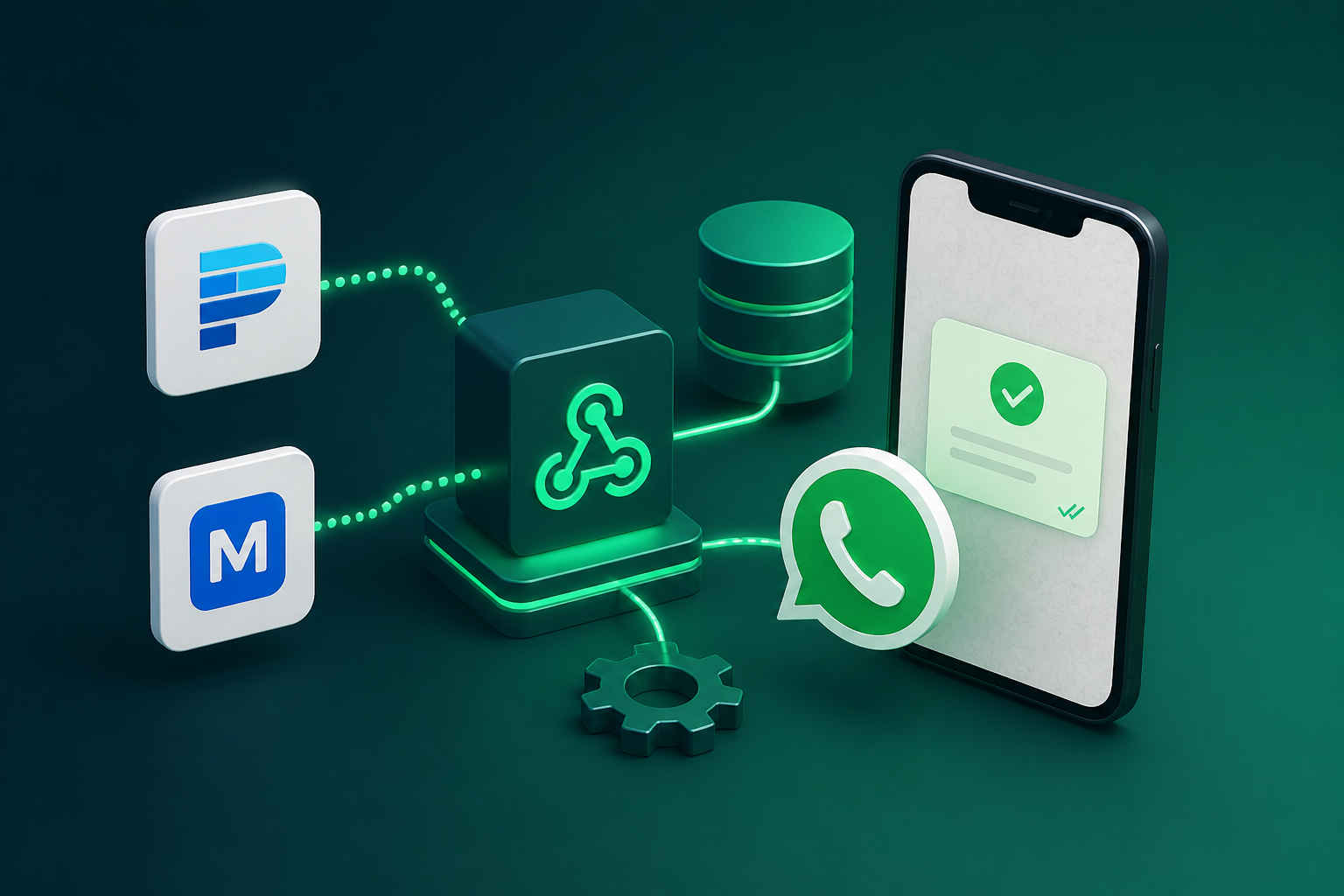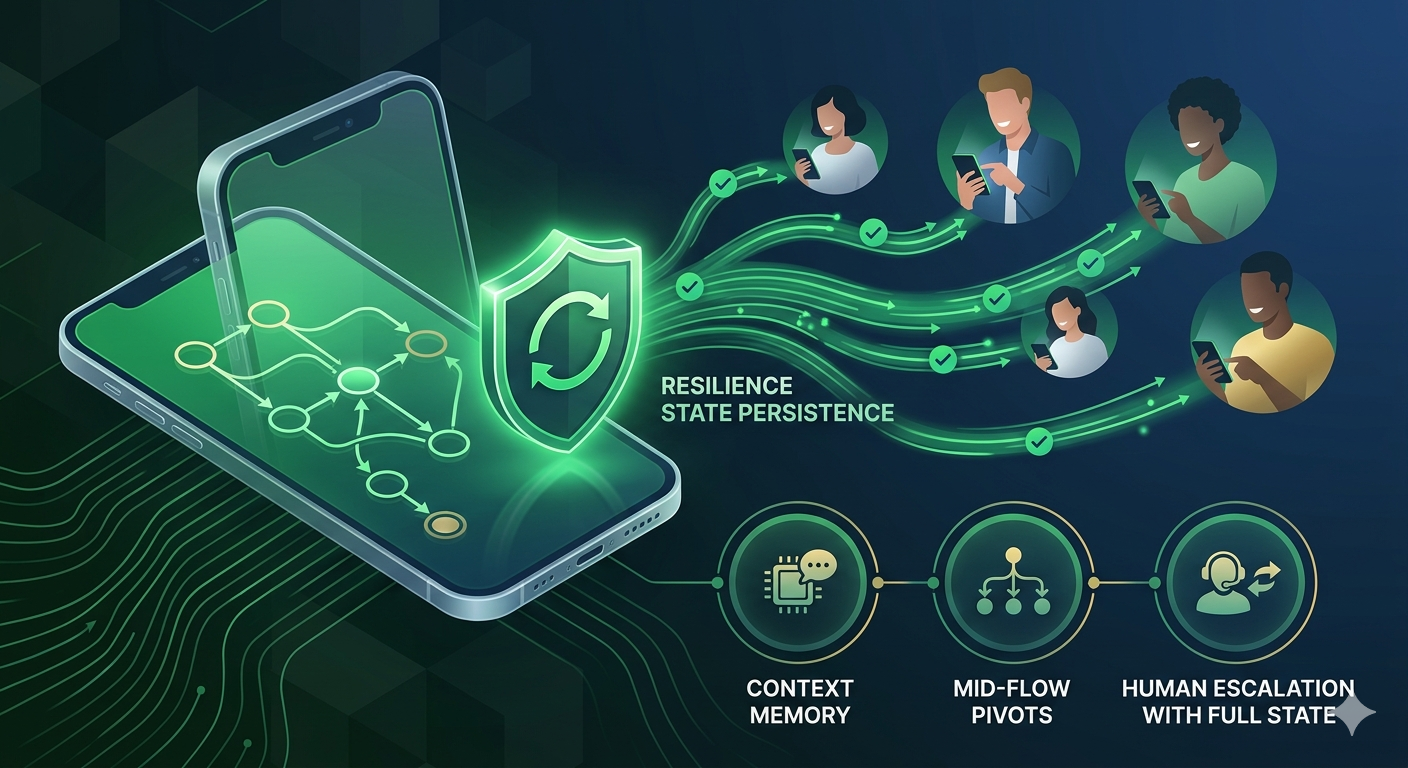
WhatsApp has become the primary customer communication channel for Nigerian businesses. Across retail, finance, real estate, logistics, and professional services, the customer journey, from first inquiry to payment confirmation, now happens inside chat threads. This shift has created a corresponding demand for WhatsApp automation: tools that can handle routine inquiries, qualify leads, and guide customers through transactions without requiring human attention for every interaction.
However, most WhatsApp automation deployed in Nigeria today is built on a foundation that cannot support production-grade operations. The dominant approach, keyword-based bots that trigger pre-defined responses when they detect specific words or phrases, works in controlled demonstrations but fails systematically when exposed to real customers. The failure is not occasional. It is architectural.
This essay argues that Nigerian businesses running high-stakes customer interactions on WhatsApp require a fundamentally different automation architecture: the state machine. Unlike keyword bots, which have no memory of conversation context, state machines track where they are in a conversation, remember how they got there, and make decisions based on both current input and conversation history.
We examine why keyword bots fail in production, with specific examples drawn from Nigerian business contexts. We then introduce state machines as the architectural alternative, explaining the core concepts of states, transitions, and context persistence. Finally, we provide a technical walkthrough of Siteti’s state-machine engine, including flow construction, interrupt handling, variable persistence, and human escalation with full state handoff, and document advanced patterns for sophisticated deployments.
This essay is intended for technical decision-makers, product managers, and operations leads at Nigerian businesses that have outgrown keyword-based automation or are building WhatsApp customer journeys from scratch. The real question is not whether to automate. The question is which architectural foundation will survive contact with actual customers.
The Problem With Keyword Bots (And Why Most WhatsApp Automation Breaks In Production)
WhatsApp automation has become a competitive necessity for Nigerian businesses managing high-volume customer interactions. But most automation deployed today is built on a foundation that fails in production. The culprit is the keyword bot, and the failure is not occasional; it is usually structural.
What Keyword Bots Actually Are
A keyword bot listens for specific words or phrases and returns a pre-defined response when it finds a match. The logic is simple: if a customer says “price”, respond with a price list. If a customer says “delivery”, respond with the delivery policy. If no keyword matches, respond with a default message.
This approach appears to work in demos because demo conversations are scripted, linear, and polite. The presenter types exactly the expected keyword. The bot responds exactly as configured. The audience sees a clean, functional automation.
In production, real customers do not follow scripts. They ask questions out of order. They reference previous conversations. They switch topics mid-flow. They use abbreviations, pidgin, and voice notes. The keyword bot, designed for a world of predictable inputs, fails systematically when confronted with actual human conversation.
The Non-Linear Customer: A Nigerian Business Reality
Here are some examples to paint a vivid idea of what keyword bots look like in the real world and how it struggles to keep up usually.
Example one: The furniture retailer in Lagos.
A customer messages a furniture retailer, initially asking for a price list. The keyword bot detects “price” and responds with the PDF link. The customer scrolls through the PDF, then messages: “the dining set on page 3, does it come assembled?” The bot, still waiting for a price-related keyword, does not recognize “does it come assembled?” as a valid input. It either restarts the price flow or returns a generic “I did not understand that” response.
The customer, frustrated, then mentions that their dining set delivered last week arrived with a scratched leg. The bot has no concept of “last week’s complaint” because the keyword system has no memory of previous conversations. The customer receives the same default response and escalates to a public complaint on social media.
Example two: The Abuja property management company.
The company sends an automated rent reminder via WhatsApp: “Your rent payment of ₦850,000 is due on April 30th. Reply YES to confirm payment, NO if you need an extension.” The tenant, who paid early, responds: “I already paid on the 15th.”
The keyword bot is configured to recognize “YES” and “NO” as valid inputs. It does not recognize “I already paid.” The bot responds with the same reminder message. The tenant replies again: “I said I already paid.” The bot loops again. The tenant eventually calls the agent directly, bypassing the automation entirely and defeating its purpose.
Example three: The Port Harcourt fintech.
A customer is midway through a loan application flow. The bot has already collected their name, BVN, and requested loan amount. The customer types: “wait, what’s the interest rate again?” The keyword bot, configured to treat “interest rate” as a trigger for the information flow, immediately abandons the application context and starts the interest rate flow.
The customer receives the interest rate information but has no way to resume their application. The bot does not remember that they had already completed three steps. The customer either starts over or abandons the application entirely. The fintech loses a qualified lead.
The Production Failure Pattern
Keyword bots work acceptably for approximately 80 percent of conversations, the straightforward, linear, predictable inquiries. They fail visibly on the 20 percent that matter most: complaints, edge cases, and high-value customers with non-standard requests.
The failure pattern is consistent across industries:
| Failure Type | What Happens | Business Impact |
| Unrecognized input | Bot returns default “I don’t understand.” | Customer frustration, escalation to human |
| Wrong flow triggered | Keyword match in wrong context starts irrelevant flows. | Customer confusion, lost transaction |
| Context loss | Bot overwrites or abandons previous conversation state | Customer forced to repeat information |
| Infinite loop | Bot cannot exit a state with unrecognized inputs | Customer abandons channel entirely |
The 80 percent success rate is deceptive because the 20 percent failure rate disproportionately affects high-value interactions. A customer asking a simple price inquiry can tolerate a bot failure. A customer midway through a loan application or rent payment cannot.
Why This Is Worse In Nigeria Than Other Markets
Three factors amplify the keyword bot failure problem in the Nigerian context.
First, Nigerian customers are expressive and conversational. They use pidgin, abbreviations, voice note transcriptions, and informal phrasing that keyword systems cannot reliably parse. A bot configured to recognize “price” may not recognize “how much”, “what’s the cost”, “sell am for how much”, or “price list abeg”. The combinatorial explosion of valid phrasings for any single intent makes exhaustive keyword coverage impossible.
Second, customer expectations are calibrated to human responsiveness. Nigerian customers have been messaging businesses on WhatsApp personally for years. They expect conversational fluency. When a bot fails to understand a simple question, a question a human agent would understand immediately, the customer’s trust in the entire business erodes.
Third, the cost of bot failure in high-stakes transactions is severe. Loan applications, rent payments, property inquiries, and order confirmations are not conversations where a confused bot response is acceptable. A customer who receives an incoherent response while applying for a loan does not simply restart the flow. They move to a competitor.
The keyword bot is not a viable foundation for production WhatsApp automation in the Nigerian market. The alternative, state-machine-based conversation management, addresses each of these failure modes at the architectural level.
State Machines: The Architectural Alternative
The failure of keyword bots in production environments is not a matter of insufficient training data or incomplete keyword lists. It is a structural limitation of the architecture itself. Keyword bots lack memory. They cannot distinguish between a customer asking for a price for the first time and a customer asking for a price after already receiving it. They cannot handle mid-conversation pivots; they also cannot resume an interrupted flow, as such a different architecture is required.
What A State Machine Is
A state machine is a system that knows where it is in a conversation, remembers how it got there, and makes decisions based on both the current input and the current context. The term sounds technical, but the concept is straightforward.
Two core concepts distinguish state machines from keyword bots. The first is state, which refers to where the conversation currently is. The second is transition, which refers to the rules that govern how the conversation moves from one state to another.
Why this distinction matters operationally is simple. A keyword bot asks only one question: what did the customer say? A state machine asks two questions: what did the customer say, given where we are in the conversation and what has already happened?
A Simple State Machine Illustration
Consider a Lagos e-commerce company handling an order inquiry through a state machine.
State 1 is Greeting. The customer initiates contact. The system identifies this as a new conversation and moves to State 2.
State 2 is Intent Identification. The system determines whether the customer is asking about a new order, an existing order, or a complaint. Each path leads to a different state.
State 3a is New Order Flow. The customer provides product details, delivery address, and payment method. The system holds all of this information in memory as part of the conversation state.
State 3b is Existing Order Flow. The system retrieves order context from the customer’s phone number and responds with the current status.
State 3c is Complaint Flow. The system routes the conversation to a human agent with the full conversation history attached.
The key insight is that at every point in this process, the system knows exactly which state it is in and what inputs are valid within that state. Unrecognized inputs are handled gracefully rather than causing a full failure. If a customer in the New Order Flow asks a question about delivery times, the system can answer from within that state without losing the product details already collected.
How State Machines Handle The Non-Linear Customer
Return to the furniture retailer example from Section One. A customer is in a price inquiry flow. The state machine is in State 3a, New Order Flow, and has already collected the customer’s product selection. The customer then asks about a delivery complaint from last week.
With a state machine, the system recognizes the pivot. The word “complaint” functions as an interrupt. The system saves the current state, including all collected product information, and transitions to the complaint handling state. After resolving the complaint, the system offers to resume the new order flow from exactly where it was paused.
The complaint does not destroy the original conversation context. It creates a new branch that the system manages alongside the original thread. The customer experience remains continuous even when the conversation is not linear.
This architectural capability is not a feature enhancement to keyword bot logic. It is a fundamental reorientation of how automation handles conversation. Keyword bots treat every message as an isolated event. State machines treat every message as an event within an ongoing conversation that has history, context, and a current position.
Siteti’s State Machine Engine: A Technical Walkthrough
Understanding the theoretical advantages of state machines is necessary but not sufficient. The practical question for Nigerian businesses is whether a state machine architecture can be implemented without a dedicated engineering team. Siteti’s state machine engine answers this question by embedding state machine logic directly into its visual chatbot builder. This section provides a technical walkthrough of how Siteti represents state internally, how to build non-linear flows, how interrupt handlers manage mid-conversation pivots, how variables persist across states, and how human escalation preserves context.
How Siteti Represents State Internally
Siteti’s chatbot builder maps directly to state machine concepts. Each node in the flow is a state. Each connection between nodes is a transition. The conditions on each connection are the transition rules. A business owner building a flow in Siteti is, without needing to know the terminology, constructing a state machine.
For each active conversation, Siteti maintains a conversation context object. This object contains four categories of information. The first is the current node, which indicates where the conversation is in the flow. The second is the nodes visited previously, which provides the path the customer took to reach the current state. The third is collected variable values, which include any data the customer has provided, such as name, account number, or order reference. The fourth is timestamps and agent assignment status, which tracks when the conversation started, when it last updated, and whether a human has taken over.
This context object persists across the conversation session. When a customer sends a message, Siteti retrieves the context object, evaluates the message against the transition rules defined for the current node, and either moves to a new node or remains in the current node with updated context. When a session times out due to customer inactivity, Siteti preserves the context object for a configurable period, allowing the customer to resume exactly where they left off.
Building A Non-Linear Flow in Siteti: Step by Step
The following walkthrough uses a Nigerian microfinance company handling loan inquiries, application progress checks, and repayment complaints through a single WhatsApp number as the use case.
Step 1 is to define the states. The business maps every meaningful point in the customer journey as a distinct node in Siteti’s chatbot builder. For the microfinance company, the states include Greeting, Intent Identification, Loan Product Inquiry, Application Status Check, Repayment Complaint, Document Collection, and Human Escalation.
Step 2 is to define the transitions. For each state, the business specifies what inputs move the conversation forward, what inputs trigger a branch to a different state, and what inputs should escalate to a human agent. In the Intent Identification state, the transition rules might be the following: if customer types “loan” move to Loan Product Inquiry state, if customer types “status” move to Application Status Check state, if customer types “complaint” move to Repayment Complaint state, and if unrecognized stay in Intent Identification state and prompt again.
Step 3 is to define the fallback behavior. This determines what the system does when it receives an input that does not match any defined transition from the current state. In Siteti, fallback behavior can be a clarification request, an offer of alternative options, or an immediate escalation to a human agent. The microfinance company might configure the fallback as a clarification request that repeats the valid options for the current state.
Step 4 is to define the context variables. These are the data points the system collects and carries across states. For the microfinance company, context variables include customer name, loan reference number, application ID, inquiry type, and escalation flag. Each variable is collected once and persists across all subsequent states.
Step 5 is to define the escalation triggers. These are the conditions under which the system hands off to a human agent with full state context attached. Escalation triggers can be input-based, such as a customer typing “speak to agent”, or condition-based, such as a customer making three unrecognized inputs in the same state, or value based, such as a loan reference number that the system cannot find in the database.
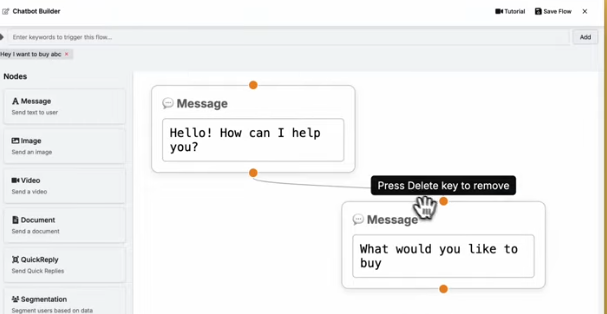
Inside Siteti’s flow builder interface, each of these steps is configured through a visual node editor. States are represented as cards. Transitions are represented as arrows between cards with condition labels. Context variables are defined in a sidebar and referenced using variable syntax within node messages. Escalation triggers are configured in the node properties panel.
The Interrupt Handler: How Siteti Manages Mid-Flow Pivots
The technical challenge of mid-flow pivots is a primary reason keyword bots fail in production. A customer midway through a loan application flow sends a message that says “I want to make a complaint.” The keyword bot either ignores the message, returns a confused default response, or restarts the entire flow. Siteti’s state machine handles this differently.
When Siteti encounters a high-priority interrupt keyword, such as “complaint”, “speak to agent”, or “help”, the system recognizes that this input should take precedence over the current state’s transition rules. The system saves the current application state to the conversation context object, including all collected variables and the current node position. It then transitions to the interrupt handling flow, which for a complaint might be a dedicated complaint collection subflow. After the complaint is resolved, the system offers to resume the application from where it was paused.
The implementation of interrupt handlers in Siteti is configured at the flow level. The business defines a list of interrupt keywords and maps each to either a sub flow or a human escalation. Critically, the interrupt handler is configured to preserve the existing context rather than overwriting it. The microfinance company might configure “complaint” as an interrupt that saves the current state and transitions to a complaint subflow, while “speak to agent” is configured as an interrupt that saves the current state and escalates directly to a human.
A practical consideration is which interrupt types should trigger a full human escalation versus a sub flow. The general principle is that interruptions involving emotional content or financial disputes should escalate to humans, while interruptions involving simple clarification or topic switching can be handled by subflows. The microfinance company might route “complaint” to a human after collecting basic information while routing “wait what is the interest rate?” to a subflow that answers the question and returns to the application.
Variable Persistence Across States
Variables in Siteti’s flow context include collected form data such as name, phone number, and address; customer-provided identifiers such as order numbers or account references; flow branch history such as which paths the customer has taken; and custom fields defined by the business.
These variables persist as the conversation moves between states. A variable collected in State 2 remains available in State 7, even after the conversation has passed through multiple branches and interrupt handlers. The persistence is automatic. The business does not need to pass variables manually from one state to the next.
Consider a practical example. A customer provides their account number in State 2 of a loan application flow. The conversation then moves through a product selection branch, a documentation upload branch, and a complaint interrupt handler. In State 7, the system needs the account number again to complete the application. With variable persistence, the system already has it. The customer is not asked to provide the same information twice.
Why this matters for Nigerian customers specifically is trust. Being asked to re-enter information you already provided is a trust-destroying experience in high-stakes transactions. A customer applying for a loan who is asked for their account number a second time may reasonably question whether the system is reliable. Variable persistence eliminates this failure mode entirely.
Human Escalation With Full State Handoff
The moment a conversation exceeds what automation can handle reliably, a human agent needs to take over. The problem with naive escalation is that the agent sees a new conversation with no context and asks the customer to start over. This destroys the value of the automated portion of the conversation.
Siteti’s escalation mechanism solves this problem. When a conversation escalates to a human agent, the agent receives the full conversation history, the current state the flow was in at escalation, all collected variables, and any flags set during the automated portion of the conversation.
Consider a practical example. A customer spends six minutes completing a rental application flow in Siteti. They provide their name, property preference, move-in date, and employment information. At the final step, they ask a question about pet policies that the bot cannot answer. The system escalates to a human agent. The agent who picks up the conversation sees a complete picture: the customer’s name, the property they are interested in, their preferred move-in date, their employment information, and the specific question about pet policies. The agent does not need to ask the customer to repeat anything. The conversation continues seamlessly.
Configuring escalation triggers in Siteti that capture and transfer state correctly requires specifying what context to include in the handoff. The standard configuration includes the last five messages, the current node name, all collected variables, and any flags set during the flow. The escalation can be triggered by customer request, by unrecognized input threshold, or by explicit condition within a flow.
What Sophisticated Deployments Look Like
For Nigerian businesses that have moved beyond basic automation, the question is not whether to use a state machine but how to architect complex, multi-intent conversations that span days or weeks. This section documents four advanced patterns for Siteti deployments: the multi-intent session, the re-entry pattern, the conditional routing pattern, and the graceful degradation pattern. Each pattern addresses a specific limitation of keyword bots and demonstrates the flexibility of state machine architecture.
The Multi-Intent Session
A multi-intent session occurs when a single customer conversation contains multiple distinct intents that are handled without forcing the customer to restart for each one. In a keyword bot architecture, a customer who asks about price, then product availability, then delivery scheduling would trigger three separate, unrelated flows. The bot would have no memory across the three inquiries. The customer would experience the conversation as three disjointed interactions.
In Siteti’s state machine architecture, the multi intent session is handled through a top level intent router state. The router receives the customer’s message, determines the primary intent, and branches to the appropriate sub flow. When the sub flow completes, the system returns to the router state rather than ending the conversation. The customer can then express a second intent, and the router branches to the corresponding sub flow while preserving the context from the first.
A practical deployment example is a Lagos pharmacy managing prescription enquiries, stock availability checks, and delivery scheduling through one WhatsApp number. A customer might message “what is the price of Amoxicillin?” The router branches to the pricing subflow, which responds with the price. The customer then asks “do you have it in 500mg?” The router branches to the stock availability subflow, which checks inventory and responds. The customer then asks “can you deliver to Ikeja by 5pm?” The router branches to the delivery scheduling subflow. Throughout this sequence, the customer never experiences a reset or a lost context. The conversation flows naturally because the state machine maintains the session across multiple subflows.
Architecting this in Siteti requires three design decisions. First, the router state must have transition rules that cover the full range of possible intents. Second, each subflow must be designed to return to the router state upon completion rather than terminating. Third, the conversation context object must persist across subflows, carrying any collected information, such as customer location or order items, from one subflow to the next.
The Re-Entry Pattern
The re-entry pattern addresses a limitation of single-session automation. Most keyword bots are designed for conversations that begin and end in a single interaction. A customer who contacts the business on Monday, leaves the conversation, and returns on Thursday is treated as a new contact. The bot has no memory of Monday’s conversation. The customer must start over.
Siteti’s state machine handles re-entry by associating conversation context with a contact record rather than a single session. When a customer contacts the business, Siteti retrieves the context object associated with that contact’s phone number. If a context object exists from a previous session and has not timed out, the system resumes from the last state. The customer does not need to re-establish their identity or re-provide information already collected.
A practical deployment example is a property management company where a tenant submits a repair request on Monday. The tenant provides their name, apartment number, and a description of the issue. The system moves through the repair request flow and reaches a state waiting for maintenance team assignment. The tenant does not hear back immediately and closes WhatsApp. On Thursday, the tenant follows up with a message: “any update on my repair?” The system retrieves the context object from Monday, sees that the conversation is in the maintenance assignment state, and responds appropriately. The tenant does not need to re-explain the issue or provide their apartment number again.
Implementing the re-entry pattern in Siteti requires configuring the session timeout duration appropriately. The default timeout is typically 24 hours, but businesses with longer sales cycles may configure timeouts of 7 days or more. The trade-off is that longer timeouts consume more storage for context objects. The recommended approach is to set a timeout based on the typical customer journey duration for the specific use case. A pharmacy fulfilling same-day delivery might use a 4-hour timeout. A property management company handling maintenance requests might use a 7-day timeout.
The Conditional Routing Pattern
Conditional routing refers to directing customers to different flow branches based on data that exists outside the current conversation. A keyword bot cannot do this because it has no access to external data. A state machine can, through webhook integrations, pull external data into the conversation context at defined state transitions.
Siteti’s conditional routing pattern works as follows. At a specific state transition, the system makes a webhook call to an external system such as a loan management system, an order database, or a customer relationship management platform. The external system returns data that the conversation context object stores as variables. The system then evaluates transition rules that reference these variables and routes the customer accordingly.
A practical deployment example is a Nigerian buy now pay later platform that routes customers with clean repayment history to a fast track application flow and customers with missed payments to a restructuring conversation flow. When a customer initiates a loan application, the system reaches the Intent Identification state and makes a webhook call to the loan management system with the customer’s phone number. The loan management system returns the customer’s repayment history and current account status. The system stores this data in the conversation context. The transition rules then evaluate: if repayment history is clean and account status is current, route to fast track flow; if missed payments exist, route to restructuring flow; if new customer, route to standard application flow. The entire routing decision happens automatically without the customer providing any additional information.
Configuring conditional routing in Siteti requires three components. First, a webhook integration that defines the external endpoint, request format, and expected response structure. Second, variable mapping that specifies how to store the returned data in the conversation context. Third, transition rules that reference the stored variables and define the routing logic. The webhook can be called synchronously, meaning the customer waits for the external system to respond, or asynchronously, meaning the system proceeds with default routing and updates later.
The Graceful Degradation Pattern
Graceful degradation is the principle that systems should fail elegantly when they encounter inputs or conditions outside their defined parameters. No flow handles 100 percent of cases. The question is not whether the system will encounter an edge case but what happens when it does.
Graceful degradation matters more than perfect coverage because customer trust is built at the margins. A bot that handles 95% of conversations perfectly but fails catastrophically on the remaining 5% destroys more trust than a bot that handles 80% of conversations well and degrades gracefully on the other 20%.
Siteti supports three levels of graceful degradation. The first level is the clarification request. When the system receives an input that does not match any defined transition from the current state, it responds by asking the customer to rephrase or by repeating the valid options. This level is appropriate for simple misunderstandings where the customer is likely to provide a recognizable input on the second attempt.
The second level is the alternative path offer. When the system has attempted clarification and failed, or when the customer’s input is clearly outside the flow’s scope, the system offers alternative paths. For example, a customer who types a complex question about loan restructuring might receive a response that says, “I cannot answer that question directly. Would you like to speak to an agent, visit our website, or continue with your application?”
The third level is human escalation. When the system determines that the conversation has exceeded the automation’s capability, it escalates to a human agent with full state context attached. This level is appropriate for complex complaints, emotional customers, or transactions where the cost of automation error is high.
Deciding which degradation level applies to which failure scenario requires mapping the consequences of error. For a low-stakes inquiry such as store hours, a clarification request is sufficient. For a medium-stakes inquiry such as product information, an alternative path offer is appropriate. For a high-stakes transaction such as a loan application or rent payment, human escalation is the correct choice. The business configures these degradation levels in Siteti by setting fallback behavior per state, with escalation thresholds defined by number of failed attempts or by explicit customer request.
The graceful degradation pattern is not an afterthought. It is a core design principle that separates production-ready deployments from demonstration-only prototypes. A state machine with properly configured degradation maintains customer trust even when the automation cannot complete the intended task.
Common Implementation Mistakes And How to Avoid Them
Even with a state machine architecture, poor implementation choices can undermine performance. This section documents five common mistakes observed in Siteti deployments across Nigerian businesses, along with practical fixes. Each mistake stems from applying keyword bot thinking to state machine architecture.
Over Branching Early
The mistake is mapping every possible customer input as a separate branch from the first state. The result is a flow so complex that it cannot be maintained or debugged. The flow works in testing because the test cases cover only the branches the builder anticipated. It breaks in production because edge cases were not anticipated correctly at the design stage.
The consequence is a system that is brittle rather than resilient. Adding a new product line or service category requires modifying dozens of branches. Debugging a failure requires tracing a path through hundreds of possible transitions. The business becomes locked into a flow that cannot evolve.
The fix is to start with three to five core states covering 80 percent of actual customer behavior, validate in production, then expand. For a typical Nigerian e commerce business, the core states might be Greeting, Intent Identification, Order Status, Product Inquiry, and Human Escalation. Only after these states are proven stable should additional states such as Returns, Bulk Orders, or Wholesale Pricing be added. The principle is to build narrow and deep rather than wide and shallow. A focused flow that handles the most common cases reliably is more valuable than an exhaustive flow that handles every possible case poorly.
Stateless Escalation
The mistake is configuring escalation triggers that hand conversations to human agents without transferring conversation state. The business assumes that because the escalation is configured, the handoff will work. But without explicit state transfer, the agent receives a blank conversation.
The consequence is agents asking customers to repeat themselves. The customer who just spent five minutes providing information to the bot is asked to provide the same information again to the agent. The trust the automated portion of the conversation built is destroyed. The customer reasonably asks: ‘why did I just spend five minutes on a bot that did not save any of my information?’
The fix is to always include a state snapshot in the escalation handoff, even if the agent interface only displays a summary. In Siteti, this means configuring the escalation trigger to include the current node name, the last five customer messages, all collected variables, and any flags set during the flow. The agent dashboard should display this information prominently. A simple implementation is to include the state snapshot as a note attached to the conversation when it appears in the agent’s shared inbox. The agent then has the full context without needing to ask the customer to start over.
Missing The Re-Entry Case
The mistake is designing flows as single-session experiences that have no memory of previous customer interactions. The business assumes that every conversation is a new conversation. The flow is built around a linear progression from start to end, with no mechanism for returning customers to resume where they left off.
The consequence is returning customers being treated as new contacts. A customer who asked about a product on Monday and returns on Wednesday to purchase it is asked to provide their name and inquiry again. The relationship context that drives conversion in high consideration purchases is lost. The customer experiences friction that a human agent would never create.
The fix is to associate flow variables with contact records rather than conversation sessions from the initial architecture stage. In Siteti, this means configuring the flow to store collected variables at the contact level rather than the session level. A customer’s name, product preferences, and previous inquiries should persist across sessions. When the customer returns, the flow should check for existing context before starting a new conversation. A simple implementation is to add a pre-flow state that queries the contact record for existing variables and resumes from the appropriate point rather than starting from Greeting.
Keyword Contamination
The mistake is mixing keyword triggers into a state machine flow. The business uses keywords to handle exceptions rather than defining explicit transition rules for every state. The result is a hybrid system that is neither a clean keyword bot nor a clean state machine.
The consequence is unpredictable behavior where the same customer input produces different outcomes depending on which state the conversation is in. A customer who types “price” might trigger a price response in one state, trigger a different flow in another state, and be ignored in a third state. The business cannot predict or debug the behavior because the keyword triggers operate globally while the state machine operates locally.
The fix is to define all transitions explicitly within states and remove global keyword triggers from flows that use state machine logic. Each state should have a complete set of transition rules that apply only within that state. If the same keyword should behave differently in different states, that difference should be encoded explicitly in the transition rules of each state. Global keyword triggers should be reserved for high priority interrupts only, such as “speak to agent” or “help”, and even these should be configured to preserve state context.
The Unhandled Edge Case
The mistake is assuming that the flow will only receive inputs that match the defined transitions. The business tests the happy path thoroughly but does not test edge cases or unexpected inputs. The flow goes to production with no fallback behavior defined.
The consequence is that when an unexpected input arrives, the system has no defined response. Depending on the configuration, it may return an error message, loop indefinitely, or crash entirely. The customer receives no useful guidance and is left to guess what to do next.
The fix is to define fallback behavior for every state before going live. The fallback should be one of the three graceful degradation levels documented in Section Four: clarification request, alternative path offer, or human escalation. The fallback should be tested with actual customer inputs, not just with the business’s assumptions about what customers will type. A simple method is to run the flow in a pilot with real customers for one week, collect all unrecognized inputs, and add explicit transitions for the most common ones while routing the remainder to a human escalation fallback.
Production Deployment Checklist For Siteti Flows
A state machine that works in testing can still fail in production if deployment considerations are overlooked. This section provides a two part checklist for Siteti flows: items to verify before going live and metrics to monitor after launch. The checklist is drawn from production deployments across Nigerian businesses in retail, finance, and real estate.
Before Going Live
The following items must be verified before any customer interacts with the flow.
All states have at least one defined fallback transition. A state without a fallback is a failure waiting to happen. When the system receives an input that does not match any defined transition, the fallback determines what happens. Acceptable fallbacks include clarification requests, alternative path offers, and human escalation. A state configured without any fallback will cause the flow to terminate or error when an unexpected input arrives.
All variables collected in early states are referenced correctly in later states. A common error is collecting a variable such as customer name in State 2 and then referencing it incorrectly in State 7. The variable name must match exactly. The reference syntax must be correct. The business should test each variable reference by walking through the full flow and confirming that the variable value appears where expected.
Escalation triggers are configured with full state handoff. When a conversation escalates to a human agent, the agent must receive the conversation history, current state, and all collected variables. The business should test escalation by triggering it intentionally and examining what the agent sees. If the agent sees a blank conversation, the escalation configuration is incomplete.
Re-entry behavior is defined for returning contacts. The business must decide how the flow handles a customer who starts a conversation, leaves, and returns later. The options include resuming from the last state, restarting from the beginning, or presenting a menu of options. The chosen behavior must be configured explicitly. The default behavior of treating every conversation as new is rarely the right choice for high-value customer journeys.
Interrupt handlers are in place for high-priority input types. At minimum, the flow should recognize “speak to agent”, “help”, and “complaint” as interrupts that save the current state before branching. The business should test each interrupt by triggering it from various points in the flow and confirming that the system preserves context correctly.
The flow has been tested with non-linear conversation sequences, not just the happy path. The testing process should include customers who change their minds, ask questions out of order, request clarification, and switch topics mid-flow. The business should simulate at least ten nonlinear sequences and document how the flow handles each.
Human agents have been briefed on what state context they will receive at escalation. Agents must know where to look for conversation history, collected variables, and escalation reason. A briefing document with screenshots of the agent dashboard should be distributed and reviewed before launch.
After Going Live
The following metrics should be monitored for the first two weeks of production operation.
Fallback trigger rates should be tracked by state. A high fallback rate in a specific state indicates missing transition definitions. The business should examine the unrecognized inputs that triggered the fallback and add explicit transitions for the most common ones. A fallback rate above 10 percent in any state warrants investigation. A fallback rate above 20 percent requires immediate remediation.
Escalation rates should be tracked by state. High escalation from a specific state indicates a flow design problem at that point. Customers are asking questions or making requests that the flow cannot handle. The business should review the conversation logs for escalations from that state and identify whether the problem is missing transitions, confusing prompts, or customer expectations that the flow was not designed to meet.
Human agent feedback on the quality of state context received at escalation should be collected systematically. After each escalated conversation, agents should answer two questions: did you have all the information you needed, and what information was missing? Missing information should be added to the escalation handoff configuration.
The top five unrecognized inputs from the first two weeks should be identified and addressed. For each unrecognized input, the business should decide whether to add an explicit transition, modify the fallback response, or accept it as an edge case that will always escalate to humans. The goal is to reduce the unrecognized input rate by at least 50 percent within the first month.
Response time after escalation should be measured. A flow that escalates quickly but sends conversations to agents who take hours to respond does not improve customer experience. The business should establish a service level agreement for escalated conversations and monitor compliance. A typical target is a response within five minutes during business hours.
The Ongoing Maintenance Cadence
A state machine is not a set-it-and-forget-it deployment. Customer behavior changes. New products and services are added. Regulatory requirements evolve. The business should establish a regular maintenance cadence.
Weekly maintenance should include reviewing fallback and escalation logs, addressing any new unrecognized inputs that appear, and updating agents on flow changes.
Monthly maintenance should include analyzing conversation trends to identify new intents that should be added as explicit states, reviewing variable usage to remove unused variables that clutter the context object, and testing the full flow after any changes.
Quarterly maintenance should include a full flow audit against current customer behavior, removal of states and transitions that are no longer used, and retraining of agents on escalation handling.
The businesses that succeed with state machine automation treat the flow as a living system that requires ongoing attention. The businesses that fail treat the flow as a one-time project that can be launched and forgotten.
FAQs For Technical Teams
The following questions address specific technical concerns raised by engineering and product teams evaluating Siteti’s state machine engine for production deployment. Each answer reflects the current state of Siteti’s platform as of 2026.
How does Siteti handle concurrent conversations from the same contact number?
Siteti maintains a single conversation context object per contact number at any given time. If a customer sends multiple messages in rapid succession before the system has responded, Siteti queues the messages and processes them in order against the same context object. If a customer starts a second conversation while a first conversation is still active, the second message updates the existing context object rather than creating a new one. This design prevents conflicting states for the same customer.
For use cases where a single contact number represents multiple people, such as a business line used by different employees, Siteti supports sub account identification through custom variables. The flow can include a step that asks which individual is messaging, and subsequent context is scoped to that sub identity.
What is the maximum number of states and transitions supported in a single Siteti flow?
Siteti supports up to 500 states per flow and up to 2,000 transitions. Most production deployments use between 20 and 80 states. Flows exceeding 150 states become difficult to maintain and debug regardless of platform limits. The recommended architecture is to break large flows into multiple smaller flows connected by webhook calls or flow switching nodes rather than building a single monolithic flow.
How are flow variables stored, and for how long do they persist between sessions?
Flow variables are stored in Siteti’s conversation context database. For active conversations, variables persist until the session timeout is reached. The default session timeout is 24 hours from the last customer message. Businesses can configure timeouts from 1 hour to 30 days depending on their use case.
For variables associated with contact records rather than individual sessions, persistence is indefinite. Once a variable is stored at the contact level, it remains available for all future conversations unless explicitly cleared or overwritten. Contact-level variables are useful for customer name, account number, and preferences that should persist across multiple sessions.
Can Siteti flows call external APIs mid-conversation to retrieve or update data?
Yes. Siteti supports webhook nodes that make HTTP requests to external APIs at any point in a flow. The webhook can be configured as synchronous, meaning the flow pauses while waiting for the API response, or asynchronous, meaning the flow continues and processes the response when it arrives.
The webhook node can accept variables from the conversation context as input parameters. The API response can be parsed and stored as new variables in the context. Common use cases include checking order status from an ecommerce database, validating loan eligibility from a credit system, and creating support tickets in an external helpdesk.
Error handling for webhook calls must be configured explicitly. If the external API returns an error or times out, the flow can retry, fall back to a default response, or escalate to a human agent.
How does the state machine behave when a WhatsApp message is delivered out of order?
WhatsApp messages are guaranteed to be delivered in the order sent from a single device. However, when a customer sends multiple messages before the system responds, Siteti receives them as a batch. The state machine processes each message sequentially against the current state, updating the context after each message.
For example, a customer sends message A then message B before receiving any response. Siteti processes message A against the current state, transitions to a new state, then processes message B against that new state. The system never sees message B before message A. This behavior matches customer expectations, as the conversation progresses in the order the customer sent the messages.
The edge case occurs when network delays cause messages to arrive out of the order sent. This is rare on WhatsApp’s infrastructure but can happen. Siteti includes a sequence number check that reorders messages when timestamps indicate out of order delivery.
What logging and debugging tools does Siteti provide for production flow monitoring?
Siteti provides three categories of debugging tools. The first is the conversation log, which stores every message, state transition, and variable assignment for all conversations. Logs are searchable by contact number, date range, and state name. The second is the flow tester, which allows developers to simulate conversations against a live or draft flow without affecting production data. The tester shows state transitions and variable changes in real time. The third is the alerting system, which notifies designated team members when fallback rates exceed thresholds or when escalation volumes spike.
For advanced debugging, Siteti supports log export to external monitoring systems through webhook integration. Engineering teams can forward conversation logs to Datadog, Splunk, or custom dashboards for analysis.
How does Siteti’s state machine interact with the BSUID system after Meta’s June 2026 update?
Meta’s Business Solution Unique Identifier system, effective June 2026, requires all businesses using WhatsApp Business API to implement stricter identity verification and message tracking. Siteti, as an official Meta Business Partner, has fully implemented BSUID compliance.
For state machine operations, BSUID adds a unique identifier to each conversation session that persists across messages. Siteti maps this BSUID to its internal conversation context object, ensuring that state continuity is maintained even when Meta’s systems route messages through different infrastructure nodes. Businesses using Siteti do not need to implement any BSUID specific logic in their flows. The compliance layer is handled by the platform.
The practical implication for businesses still using unauthorized automation tools is that BSUID will render those tools non functional after June 2026. Only official Meta Business Partners like Siteti will maintain API access.
What is the maximum supported concurrent conversation volume for Siteti flows?
Siteti’s infrastructure supports up to 10,000 concurrent conversations per business account. For businesses requiring higher volumes, Siteti offers an enterprise tier with dedicated infrastructure and volume based pricing. The platform automatically scales to handle spikes without customer facing latency. Most Nigerian SMEs operate well within the 10,000 concurrent conversation limit.
Can Siteti flows be version controlled and rolled back?
Yes. Siteti maintains a version history for every flow. Each time a flow is saved, a new version is created. Businesses can view the difference between versions, revert to any previous version, and promote a draft version to production. Version history is retained for 90 days for standard plans and indefinitely for enterprise plans.
Does Siteti provide webhook authentication for external API calls?
Siteti supports API key authentication, OAuth 2.0, and mutual TLS for webhook calls. Authentication credentials are stored encrypted and never exposed in flow logs. For businesses with strict security requirements, Siteti supports IP whitelisting for outbound webhook requests, ensuring that calls originate from verified Siteti infrastructure.
Conclusion
The fundamental argument of this essay can be stated without abstraction. A keyword bot is a lookup table. It matches customer inputs against a list of known phrases and returns pre-written responses. When the customer says something not on the list, the bot fails. A state machine is a memory. It knows where the conversation is, remembers what has been said, and makes decisions based on both current input and past context. When the customer says something unexpected, the state machine handles the exception gracefully.
The difference between these two architectures is the difference between a receptionist who reads from a script and one who remembers your name, your last visit, and why you are here today. For low-stakes interactions where failure is inexpensive, a keyword bot may be sufficient. For high-stakes customer interactions on WhatsApp, a keyword bot is a liability.
Nigerian businesses running loan applications, rental agreements, order management, and customer support on WhatsApp cannot afford the 20 percent failure rate that keyword bots deliver. A confused bot response during a loan application is not an inconvenience. It is a lost customer. A bot that loses context during a rent payment is not a technical glitch. It is a reputational risk.
The state machine architecture implemented in Siteti addresses each failure mode documented in this essay. The interrupt handler preserves context when customers pivot mid-conversation. Variable persistence ensures customers are not asked to repeat information. Re-entry patterns allow returning customers to resume where they left off. Conditional routing enables personalized flows based on external data. Graceful degradation maintains customer trust even when automation reaches its limits.
For Nigerian businesses, the architectural choice between keyword bots and state machines has direct revenue implications. A business processing 1,000 customer conversations per week with a keyword bot will experience approximately 200 failures per week. At a conservative conversion rate of 5 percent on those conversations, that is 10 lost transactions weekly. Over a year, the cumulative loss substantially exceeds the cost of a state machine platform.
Siteti’s state machine engine is not the simplest WhatsApp automation tool available. It is the one built for production-grade deployments where conversation resilience is not optional. The platform requires more upfront design work than a keyword bot. Flows must be mapped, states must be defined, transitions must be configured, and fallbacks must be tested. But the alternative is deploying automation that fails when it matters most.
Three features distinguish Siteti deployments that work in production from those that work only in demos. The flow builder with explicit state and transition configuration enables non-linear conversation handling. The interrupt handler with state preservation allows customers to change topics without losing progress. The escalation handoff with full state context ensures human agents have the information they need without asking customers to repeat themselves.
Businesses ready to move beyond keyword bots should begin with three concrete actions. First, audit current WhatsApp automation to identify the most frequent failure modes. Second, map the customer journey for the highest-volume use case as a state machine with five to ten states. Third, build and test the flow in Siteti using non-linear conversation sequences before replacing any production automation.
The businesses that succeed with WhatsApp automation over the next three years will not be those with the most sophisticated natural language processing or the largest keyword lists. They will be those that recognize that conversation is inherently stateful and choose an architecture that matches that reality. Siteti’s state machine engine provides that architecture for Nigerian businesses ready to make the shift.